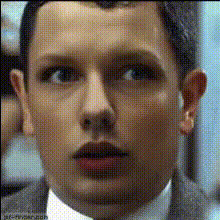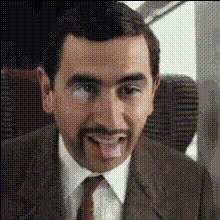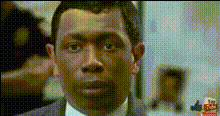
Mr Bean Smiling In Suit
Overview
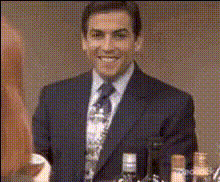
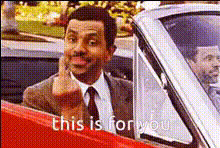
The Mr. Bean Smiling In Suit template offers a whimsical touch to your video projects. It allows you to swap Mr. Bean's familiar face, capturing his unique smile and expressions, onto any character within your videos.
Discover the ease of video transformation with the power of AI. Explore other enhancements with our Face Swap capability, and consider using the AI Image Editor for additional tweaks.
What It Does
This template specifically focuses on video face swapping, allowing you to integrate Mr. Bean's iconic facial expressions onto another character or person in your video. By doing so, it brings a comedic and charming element to your projects.
It pairs well with our AI Talking Photo product, which can further animate the swapped faces for a more lively presentation.
Who It's For
This template is perfect for content creators looking to add humor and a touch of nostalgia to their videos. It's ideal for social media managers, advertisers, and video enthusiasts who wish to stand out with engaging and funny content.
Those working on meme videos or looking to captivate audiences with personalized content will find this tool particularly beneficial.
Summary
The Mr. Bean Smiling In Suit video face swap template is your go-to solution for infusing humor into your video content. By blending sophisticated AI technology with the timeless charm of Mr. Bean's expressions, you elevate your project's entertainment value. Explore further options with our Character Replace tool for more transformative video edits.
How To
Choose Template

Customize Face Swap

Generate Video

Use Cases
Social Media Content
- Instagram Reels
- TikTok challenges
- Facebook Stories
Advertising Campaigns
- Promotional videos
- Advertisement storylines
- Product demo embellishments
Personal Greeting Videos
- Birthday greetings
- Holiday shoutouts
- Special announcements
Educational Content
- Tutorials with a twist
- Entertaining lessons
- Engaging training sessions
Best Practices
High-Quality Source Videos
Use videos with clear and well-lit subjects to ensure the face swap works effectively.Face Alignment
Select videos where the subject's face alignment matches that of Mr. Bean for natural-looking swaps.Preview Before Downloading
Always preview the face swap to check for any adjustments needed before finalizing the video.