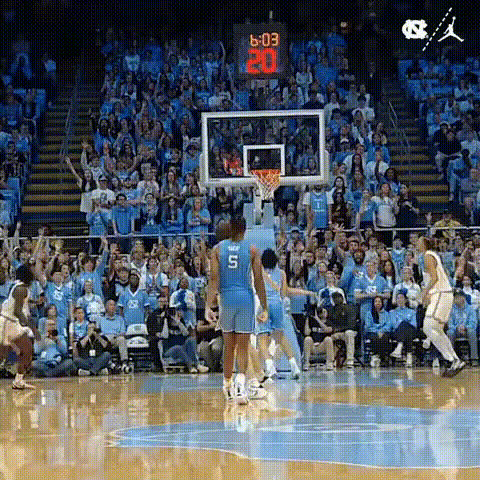
Spencer Dinwiddie Jumper
Overview
Step into the shoes of professional basketball player Spencer Dinwiddie with the 'Spencer Dinwiddie Jumper' video face swap template. This popular sports template allows basketball enthusiasts to replace faces in a dynamic clip of Dinwiddie's signature jumper. Emulate his on-court excellence and showcase your skills in style.
What It Does
The template facilitates a seamless video face swap, giving users the thrilling experience of shooting like Spencer Dinwiddie. By integrating personal visuals into Dinwiddie's high-intensity gameplay video, you can create unique basketball highlights that stand out on the court.
Take advantage of advanced face-matching technology to maintain video quality and player integrity, as seen in other tools like the Body Swap product for full body transformations.
Who It's For
This template is tailored for basketball fans, social media enthusiasts, and content creators who want to star in their own highlight reels. Coaches and trainers can also utilize it to motivate or demonstrate shooting techniques using visually engaging content.
Whether for creating personalized video reels or for the fun of it, tools like the Image to Video allow even more creative integrations.
Summary
The 'Spencer Dinwiddie Jumper' face swap template is your ticket to experiencing basketball through the eyes of a pro player. Replace faces with ease, refine your own videos, and connect deeper with the sport. Explore more possibilities with our wide range of templates and products.
How-To
Choose Template

Customize Input

Generate Video

Use Cases
Basketball Training Videos
- Highlight shooting technique
- Motivate players with personalized reels
Social Media Highlights
- Engage your audience with personalized sports moments
- Enhance social media profiles using sports theme
Sports Fan Engagement
- Boost engagement with creative video content
- Share fun, interactive experiences with fellow fans
Best Practices
Maintain High-Quality Inputs
Use high-resolution images or videos for the clearest face swap result. Quality inputs lead to more realistic and engaging outputs.Align Faces Precisely
Take the time to align the face accurately, matching the player's angles to ensure seamless integration.Experiment with Angle and Lighting
Consider different angles and lighting conditions to see how it affects the transformation and play around for the best final output.