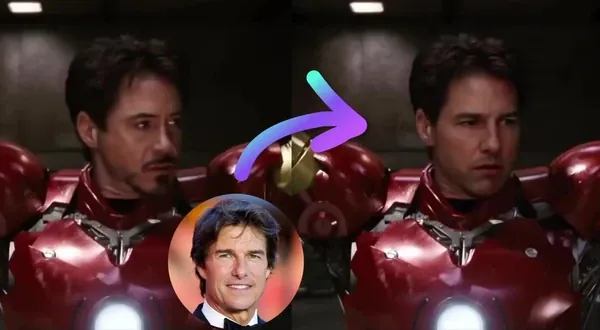
Seedream 5 Flash AI Image Generator and Editor
Generate a new image or edit one with a prompt and reference images. Seedream 5 Flash is the lower-cost Seedream 5 model in Magic Hour.

View prompt
A bustling night market with steaming food stalls, paper lanterns and crowds of people, rich colors, street photography

View prompt
A rainy neon-lit alley with glowing signs reflected in puddles, a person walking with a clear umbrella, cyberpunk mood

View prompt
Endless field of red poppies under a dramatic sky with a lone tree on the horizon, golden light, landscape photography

View prompt
Fashion photo of a model in a yellow swimsuit and sunglasses lounging by a turquoise pool, hard sunlight, palm shadows, retro vibe

View prompt
Beauty close-up of a woman with glowing skin and glossy lips, soft pink makeup, clean white background, high-end cosmetics ad

View prompt
Adults in summer clothes laughing and splashing in a city fountain on a hot day, water droplets frozen mid-air, bright sunlight, joyful

View prompt
Split-level photo at the waterline of a tropical island: palm trees and sky above, a coral reef with colorful fish below

View prompt
Character design sheet of an adult wizard woman in her thirties with front, side and back views, color swatches and labeled outfit details, clean white background

View prompt
Mobile app UI design for a pet care app showing three phone screens: pet profile, feeding schedule and vet appointments, cute illustrations, clean layout

View prompt
Triptych of a ceramic coffee mug: a close-up of the handle, the mug on a breakfast table, and the mug held in two hands, consistent warm style

View prompt
Professional headshot of a confident woman in a navy blazer, clean gray backdrop, soft studio lighting, sharp detail

View prompt
A notebook page with a hand-drawn water cycle diagram in colored pens, labeled with four large neat handwritten words: Evaporation, Condensation, Precipitation, Collection, with arrows between them, lying on a wooden desk
Trusted by teams at
How to create with Seedream 5 Flash
Start with a prompt, choose your settings, and refine the result if needed.
- 1

Describe the image
Write the subject, composition, style, and details you want to see. - 2

Choose your settings
Select an aspect ratio, resolution, and output count. For edits, add a source image and any reference images. - 3
Generate and refine
Review the output, then adjust the prompt or move to the image editor for a targeted change.


Where Seedream 5 Flash fits
Use it when price per image matters: early concepts, variations, and routine edits. The same price applies at every supported resolution.
Generate and edit
Multi-image edits
Seedream 5 Flash — Model Card
Key specs, capabilities, and limitations.