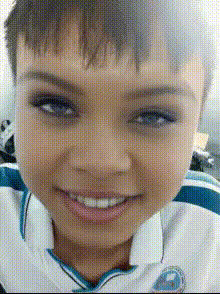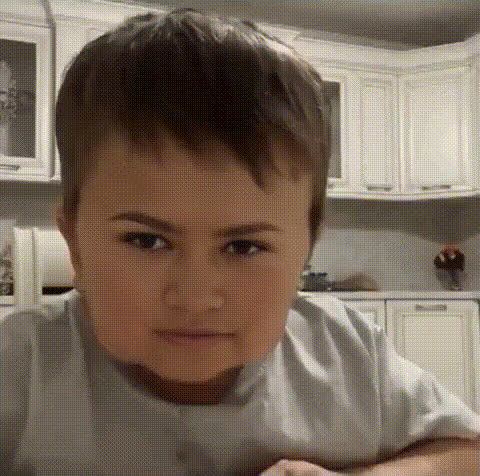
young-boy-with-brown-hair
Overview
Transform any video by swapping in the face of a young boy with brown hair. This template is ideal for content creators looking to make unique, engaging social media videos or for anyone experimenting with innovative visual effects. With our Video Face Swap tool, you can seamlessly integrate the boy's image into your footage, achieving professional results in just a few clicks.
What It Does
This template uses advanced algorithms to perform high-quality face swaps in videos. By selecting a video and applying the young boy's face, you can create convincing transformations perfect for storytelling, humor, or artistic expression. The AI Video Generator ensures the swap adapts to various lighting conditions and angles, maintaining a natural look throughout the video.
Who It's For
Whether you're a social media influencer, a filmmaker, or a hobbyist, this Video Face Swap template offers you a powerful tool for storytelling and creativity. It's also suitable for marketers and educators looking to engage their audiences with visually appealing content. Pair it with our AI Image Editor to perfect every frame.
Summary
The Young Boy With Brown Hair Video Face Swap template is your go-to solution for creating captivating and inventive video content. Its user-friendly interface combined with powerful AI capabilities offers creatives a canvas for endless transformations. Explore more possibilities with our AI GIF Generator to turn these videos into shareable GIFs.
How To
Choose Your Template

Customize Your Video

Generate Your Video

Use Cases
Social Media Content
- Engage a wide audience with unique visual content
- Adapt trends with a creative twist
Creative Storytelling
- For films, short stories, and creative projects
- Adds a new dimension to storytelling
Marketing Campaigns
- Capture attention and increase engagement
- Perfect for memorable product demos
Best Practices
Optimize Lighting
Ensure the video has consistent lighting to maintain the realism of the face swap.Choose Suitable Videos
Select videos with steady camera angles to achieve the best face alignment.Preview and Adjust
Before finalizing, preview the swap to adjust face size and positioning for optimal results.