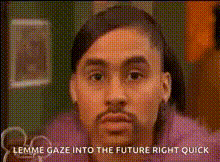
woman-with-surprised-expression (2)
Overview
Transform your ordinary videos into comedic masterpieces with the Video Face Swap template featuring a woman's surprised expression. This template is perfect for creating engaging and amusing content that captures your audience's attention.
What It Does
The Video Face Swap template lets you overlay a new face onto a video, specifically highlighting a surprised expression. By using this template, you can create funny and dynamic video transformations that are sure to entertain. It's an ideal tool for those looking to enhance their video editing projects with unique twists.
Explore our Face Swap product to see how it can further expand your editing capabilities, or integrate it with the Image to Video suite for even more creative options.
Who It's For
This template is perfect for content creators, social media managers, and marketers who want to add a humorous element to their video content. It's also great for those in the entertainment industry, YouTubers, and TikTok enthusiasts looking to grab their audience's attention with comedic video face swaps.
For those looking for more comprehensive editing options, consider exploring the AI Image Editor for extensive visual enhancements.
Summary
Whether you're creating content for personal enjoyment or aiming to boost engagement on social media platforms, the Video Face Swap template featuring a surprised woman is a tool you don't want to miss. Capitalize on this opportunity to add a layer of fun to your videos and watch your engagement metrics soar.
Discover how our AI GIF Generator can complement your video creations and create shareable, attention-grabbing content effortlessly.
How-To
Choose Your Template

Customize Your Face Swap

Generate and Share

Use Cases
Social Media Humor
Personalized Marketing
Entertainment Content Creation
Best Practices
Choose High-Quality Videos
For the best face swap results, use videos that are clear and well-lit.Match Expressions
Select a source video with expressions that match the surprised face for a seamless swap.Preview Before Finalizing
Always preview the video before downloading to ensure the face swap appears natural.