woman-rolling-her-eyes
Overview
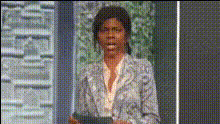
Turn any video into a comedic masterpiece with the 'Woman Rolling Her Eyes' Video Face Swap template. Perfect for creating viral content, this template allows you to swap faces into a notorious eye-rolling scene, adding a humorous twist to your videos.
What It Does
The 'Woman Rolling Her Eyes' template utilizes advanced Video Face Swap technology to replace a face in the original video with one from your images. It's a straightforward way to inject humor and personality into your content. Once you swap the face, download the video in popular formats like MP4.
Combine this with other tools like the AI Voice Changer to modify audio, or the Text to Video tool to add engaging captions, further enhancing your content’s appeal.
Who It's For
This template is ideal for content creators, social media managers, and anyone looking to amuse their audience. Engage your followers with personalized, funny content that resonates. Marketers can also use this tool alongside the AI Meme Generator to craft hilarious promotional materials.
Summary
With the 'Woman Rolling Her Eyes' Video Face Swap template, you can craft unique and entertaining videos that capture attention. It's designed for creators who want to blend humor with creativity, backed by the robust capabilities of face swapping.
For extended functionality, pair it with our AI Image Editor to fine-tune visual aspects before swapping faces.
How-To
Choose Your Template

Customize Your Inputs

Generate and Download

Use Cases
Social Media Engagement
- Perfect for Instagram stories
- Ideal for TikTok humor videos
- Enhance Facebook engagement
Marketing and Promotions
- Create relatable ad content
- Engage with humorous marketing campaigns
Personalization in Content Creation
- Customize videos for birthday shoutouts
- Create anniversary messages
Best Practices
Select High-Quality Images
Ensure the face you upload is of high quality for the best swap results. Use images with neutral expressions for more natural blending.Leverage Additional Effects
Pair with tools like the AI Image Editor to refine images before uploading. This can help correct lighting and color mismatches.Optimize for Platforms
Consider the video specifications of the platform you're targeting and adjust the format accordingly for optimal playback.