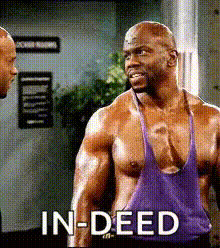
The Terry Crews Headlock GIF template injects humor into your content creation by letting you swap faces onto Terry Crews in a playful headlock scene. Ideal for meme makers and those looking to create engaging GIFs, this template is designed to generate attention-grabbing media that resonate with widespread audiences.
What It Does
This template specializes in Video Face Swap, allowing users to place different faces onto Terry Crews in a headlock scenario. Such transformations enable the creation of humorous and viral content. Leveraging advanced models, your video will look realistic and amusing. Pair it with our Face Swap for GIFs for even more creative control.
Who It's For
Designed for meme creators, fun-loving social media enthusiasts, and digital marketers, this template brings a comic twist to video projects. It's perfect for those who want to add a playful edge to their content while utilizing dynamic transformations. For broader creative ventures, explore our AI Video Generator to expand your toolkit.
Summary
Whether you're aiming to go viral on TikTok or make your friends laugh, the Terry Crews Headlock template promises to deliver. As a part of Magic Hour's robust suite of tools like AI Face Editor, it's designed to push the boundaries of creative expression with the perfect blend of humor and technology.
How To
01
Choose the Template
Access the Terry Crews Headlock GIF template in the Face Swap category of our library.
02
Customize Your Inputs
Upload a video and select the face you want to swap onto Terry Crews. Adjust the positioning and size for a natural look.
03
Generate the Final GIF
Click 'Generate' to process your video. The output will be available for download in high-quality GIF format, ready to share.
Use Cases
📱
Social Media Content
Create share-worthy GIFs that stand out in social feeds.
Funny memes
Engaging stories
User-generated content
💼
Marketing Campaigns
Add a humorous touch to your advertising initiatives to enhance engagement.
Promotional memes
Viral campaigns
Interactive ads
🎉
Personalized Messages
Craft unique messages for friends and family with a personalized twist.
Birthday greetings
Anniversary surprises
Friendly roasts
Best Practices
Choose High-Quality Source Material
The clearer the original video, the more effective the face swap. Use videos with good lighting and minimal obstructions.
Align Faces Precisely
Ensure that the face alignment is accurate to avoid any awkward looks; symmetry is key.
Take Advantage of Additional Tools
Use the AI Image Editor to refine images before swapping for enhanced quality.