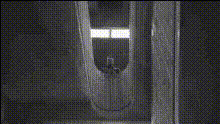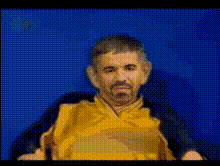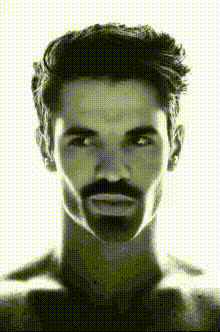
shirtless-man-in-dark-room
Overview
Enhance your video projects with the 'Video Face Swap' template that introduces an intriguing setting—a shirtless man in a dark room. This template allows for creative face transformation, adding unique twists to your videos. Whether you're a social media content creator or a video editing enthusiast, this tool opens up new avenues for expression.
What It Does
The 'Video Face Swap' template allows you to replace the face of the shirtless man in a mysterious dark room with the face of your choice. This transformation is ideal for creating engaging and humorous content in a variety of formats, making use of advanced algorithms for seamless integration. It's an excellent choice for those looking to add a personalized touch to their video content.
Who It's For
This template is perfect for content creators, marketers, and video producers who want to add a creative element to their videos. It's especially suitable for social media influencers looking to engage their audience with quirky and fun videos. Additionally, filmmakers seeking a simple way to integrate face swaps into their project scenes will find this tool incredibly useful.
Summary
Use the 'Video Face Swap' template to add intrigue and humor to your videos without the need for complex editing tools. The setting of a shirtless man in a dark room provides a distinctive backdrop to tell compelling stories or produce eye-catching promo material. Discover more about similar tools like the Face Swap product or explore other creative opportunities with the Body Swap and Head Swap tools.
How To
Choose Your Template

Customize Your Inputs

Generate Your Video

Use Cases
Social Media Engagement
- Quickly engage audiences
- Stand out on busy feeds
Marketing Campaigns
- Increase ad effectiveness
- Connect with audiences through humor
Personalized Video Greetings
- Perfect for birthdays and holidays
- Add personal twists to video greetings
Best Practices
Choose High-Quality Inputs
For the best results, use high-resolution images of faces for swapping to ensure clarity and detail.Align Face Positions
Make sure the face you are swapping in is aligned correctly to maintain natural expressions and ensure seamless blending.Experiment with Lighting
Take advantage of the dark room setting by playing with the lighting in the final video to enhance the mood and focus.