Template preview

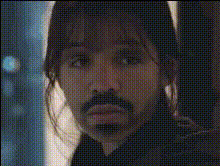
sad-face-closeup

Video Face Swap
1 clip
1 uses

Any aspect ratio

Tags

transformations

Overview

This Video Face Swap template focuses specifically on transforming sad expressions into something unexpected. Perfect for creators looking to add an entertaining twist to their content, this tool excels in emotional transformation. Use it to inject humor and surprise into your videos.

What It Does

Our template swaps faces in your close-up videos, adding a new emotional dimension. It modifies expressions, specifically focusing on sad faces to create engaging and fun content. This template is a valuable asset for those using the Face Swap capabilities, delivering a creative edge to your projects.

Who It's For

Whether you're a social media influencer, a digital marketer, or someone who loves making fun videos, this template is tailored for you. It supports a variety of content creation needs, suitable for platforms like TikTok, Instagram, and YouTube, particularly if you enjoy using tools like the Image to Video or AI Video Generator.

Summary

Transform emotional narratives with a simple click. This Video Face Swap template allows you to modify sad expressions in your videos to generate unexpected and humorous content. Enhance your storytelling by integrating tools such as Lip Sync and Body Swap to diversify your video content.

How To

    01

    Choose Your Template

    Navigate to the Face Swap section and locate the "Sad Face Close-Up" template.
    02

    Customize Your Video

    Upload your video and select the face you want to swap. Adjust settings to refine the emotional expression change.
    03

    Generate Your Video

    Click on 'Create' to process the transformation. Once finished, download your modified video for use on your preferred platforms.

Use Cases

๐Ÿ˜‚

Social Media Content

Create hilarious videos by transforming sad faces into surprising expressions to entertain your followers.
๐Ÿ“ˆ

Marketing Campaigns

Engage audiences with creative video advertisements that utilize unexpected facial transformations.
๐ŸŽฌ

Video Storytelling

Develop unique narratives by changing the emotional tone of characters, enriching your storytelling techniques.

Best Practices

  • Select High-Quality Videos

    Using high-resolution videos will enhance the outcome of the face swap results.
  • Experiment with Other Tools

    Combine with AI Image Generator and AI Talking Photo for dynamic content.
  • Focus on Lighting

    Ensure your video is well-lit for the best transformation effects.

Frequently asked questions

The face swap uses AI technology to overlay new expressions on existing faces in the video.

Yes, it's suitable for both personal and professional projects, allowing for creative control and uniqueness.

You can retain the original video file, but changes made by this process are permanent on the output video.

The tool supports most common video file formats. For best results, use typical formats like MP4.

More Like This