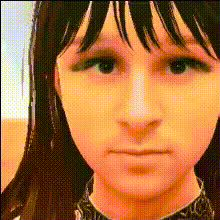
Navarasa Surya Closeup
Overview
Transform your videos with the Navarasa Surya Closeup Face Swap template. This tool makes it possible to swap faces in your video clips, providing a unique and entertaining way to enhance personal and professional video projects. Ideal for filmmakers and social media influencers looking for creative ways to engage their audiences.
What It Does
The Navarasa Surya Closeup offers a Video Face Swap capability that replaces faces in your video, maintaining high detail and expression fidelity. This template supports various video formats, making it flexible for diverse projects, whether you're creating whimsical social media content or testing new video marketing strategies.
Explore more creative possibilities with our Face Swap and AI Image Editor tools as well.
Who It's For
This template is perfect for content creators, video producers, and marketers who want to bring a new edge to their videos. Whether you aim to produce captivating content for social media, video ads, or just want to have fun with your friends, the Navarasa Surya Closeup Face Swap is your go-to tool.
Enhance your projects by integrating it with our Text to Video and AI GIF Generator for added creativity.
Summary
The Navarasa Surya Closeup Face Swap template provides an engaging way to alter your videos by swapping faces, whether for artistic expression, humor, or marketing purposes. Its compatibility with various video formats ensures adaptability for any project.
How-To
Choose Your Template

Customize the Inputs

Generate and Download

Use Cases
Social Media Content
- Increase engagement by using face swaps in short videos.
- Stand out in trending challenges with creative face swaps.
Marketing and Advertisements
- Capture audience attention in <a href="/use-cases/ai-video-ads">AI Video Ads</a>.
- Promote products in a unique, memorable way.
Movie and Storyboard Development
- Test character dynamics by swapping faces creatively.
- Develop <a href="/use-cases/storyboarding">storyboards</a> with diverse character expressions.
Best Practices
Select Clear Videos
When uploading, choose high-quality videos for better face swap accuracy.Ensure Proper Lighting
Good lighting in your source video helps maintain facial details post-swap.Leverage Additional Features
Consider combining this tool with the AI Photo Relighting tool to enhance your video’s lighting post-edit.