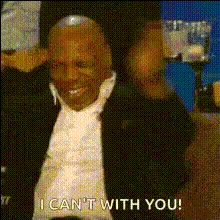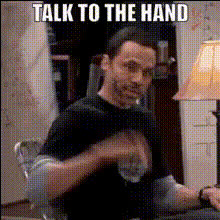
Mike Tyson Handshake
Overview
The Mike Tyson Handshake template is a fun and engaging way to bring a unique twist to your videos. By using this Video Face Swap tool, you can inject humor and creativity into your content. Whether it's for personal amusement or social media impact, this template helps you create memorable moments in your videos.
What It Does
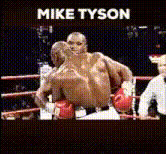
This template allows you to replace a face in your video with Mike Tyson's, specifically focusing on a memorable handshake moment. It's a simple, yet highly effective way to make any video clip distinctive by adding a celebrity touch. Simply integrate with our AI Image Editor to ensure seamless integration and enhancement.
Who It's For
If you're a content creator, social media influencer, or someone who enjoys making witty digital content, the Mike Tyson Handshake template is a fitting choice. This tool is perfect for those looking to add a humorous element to their videos or for anyone wanting to experiment with AI GIF Generator to boost your social media presence.
Summary
With the Mike Tyson Handshake template, you can seamlessly integrate humorous face swaps into your videos, enhancing viewer engagement. Easily connect with other Magic Hour tools like the Head Swap and make your creative process smoother and more responsive to diverse content needs.
How to Use
Choose the Template

Customize Your Video

Generate and Share

Use Cases
Social Media Campaigns
- Instagram reels with iconic moments
- TikTok challenges using face swap humor
- YouTube Shorts focusing on unexpected transformations
Marketing Videos
- Product launches with a playful touch
- Brand awareness videos featuring celeb swaps
Entertainment Content
- Comedy sketches featuring unlikely face swaps
- Meme-worthy videos for sharing across the web
Best Practices
Mind the Timing
Ensure the face swap happens at a moment in the video where it will be seen easily and appreciated.Quality Inputs
Use high-resolution video files for better swap accuracy. Integrate with our AI Image Upscaler when needed.Preview Changes
Always preview your video before finalizing to catch any alignment issues or unexpected artifacts.