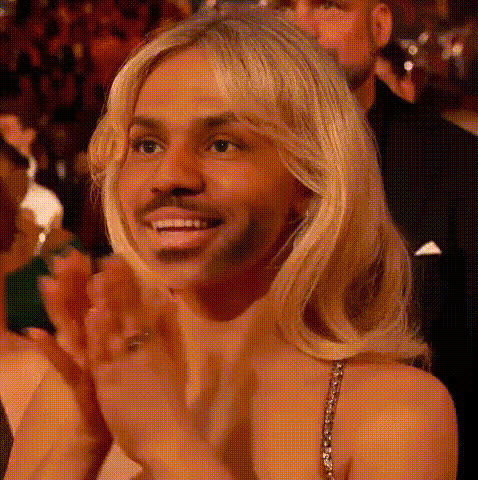
Melissa Mccarthy Smiling
Overview
Dive into the world of fun-packed video transformations with the Melissa McCarthy Smiling face swap template. Perfect for creators looking to infuse comedic flair into their videos, this template helps you swap faces with the beloved actress, capturing her iconic smile. Available through our Video Face Swap tool, this template offers an engaging way to craft memorable video content.
What It Does
This template allows users to seamlessly swap their faces onto Melissa McCarthy's in a preset video, highlighting her charming smile. Utilizing advanced AI technology, it replaces the existing facial features with yours, ensuring expressions and movements remain natural. This Video Face Swap feature is designed to produce realistic and hilarious results, making your clips both unique and entertaining.
Who It's For
This template is ideal for video creators, social media influencers, and marketing teams seeking to add humor and celebrity appeal to their content. It’s also great for users aiming to experiment with Face Swap technology in creative projects, such as personalized gifts or social media challenges.
Summary
Transform your video content with the Melissa McCarthy Smiling face swap template, offering users the chance to integrate a touch of humor into their projects. Perfect for generating laughter and engagement, this template leverages Image to Video technology, making your edits both easy to execute and shareable. Dive into creative opportunities that will leave your audience smiling.
How To
Choose the Template

Customize Your Face Swap

Generate and Download

Use Cases
Social Media Content
- Engage your followers with celebrity interaction.
- Ideal for viral challenges.
Marketing Campaigns
- Boost engagement with fun, lighthearted ads.
- Pair with products to create themed content.
Personal Projects
- Perfect for personalized birthday or office party videos.
- Great for family photo albums.
Best Practices
Choose Clear Images
For optimal results, ensure the uploaded face image is high-quality and well-lit. This enhances the accuracy of the swap with Melissa McCarthy's face.Align Facial Features
When editing, align the chin and jawline with the template to maintain the natural movement and expression of the original video.Experiment With Different Expressions
Try using different pictures with varying expressions to see which fits best. Aim for a smiling or neutral look for a cohesive effect with Melissa’s smile.