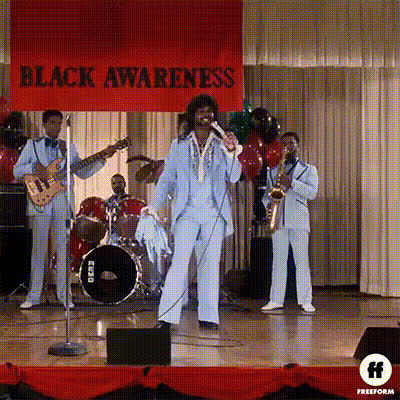
Man Singing With Tear
Overview
The "Man Singing With Tear" template in the Video Face Swap category offers a humorous twist on your video projects. Switch faces with a man performing a tearful song for a delightful result that fits meme creation or viral social media content. By harnessing AI technology, it merges personal touches with popular entertainment themes, producing engaging and shareable media.
What It Does
This template allows you to replace the singer's face with any face of your choice, creating a unique and funny video. Using advanced AI capabilities, the tool ensures the face swap is smooth and realistic, maintaining the nuances of the original performance. It's ideal for quickly turning an everyday image into a viral video with just a few clicks.
Who It's For
Whether you're a social media influencer, a meme aficionado, or just someone looking to surprise friends with a creative video, this template is designed for you. It's perfect for content creators who want to engage their audience with humorous and high-quality videos. Marketers can also leverage this tool for unexpected and entertaining ad content.
Summary
With the "Man Singing With Tear" Video Face Swap template, anyone can become the star of a viral singing video. This tool is part of our portfolio that includes the popular Face Swap series, known for its user-friendly interface and realistic results. Explore other related products like the Lip Sync tool or the versatile Image to Video converter to extend your creative possibilities.
How-To
Choose Your Template

Customize Your Inputs

Generate Your Video

Use Cases
Social Media Engagement
- Create viral content for platforms like TikTok and Instagram
- Use humor to increase shares and likes
Marketing Campaigns
- Add a creative twist to product promotions
- Increase audience engagement through entertainment
Personal Entertainment
- Swap faces with friends for a hilarious playback
- Share moments at parties or gatherings
Best Practices
Choose a Clear Source Image
For optimal results, use a high-resolution, well-lit photo to ensure the AI can accurately map the face.Mind the Context
Make sure the swapped face fits the context of the video for a more seamless and humorous effect.Explore Additional Tools
Combine with tools like AI GIF Generator or AI Meme Generator to expand your content's reach and creativity.