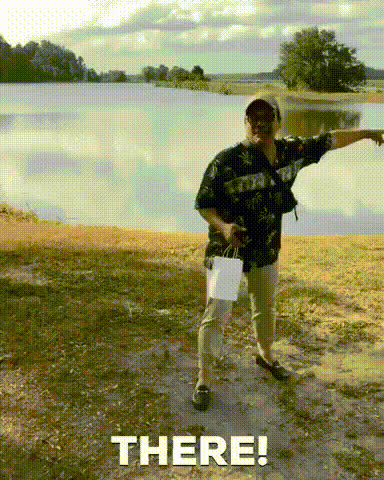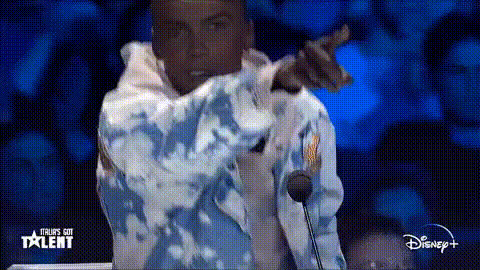
Man Pointing On Talent Show
Overview
The "Man Pointing On Talent Show" template is a fun and engaging way to enhance your talent show videos. This Video Face Swap template makes it simple to perform captivating transformations that will delight your audience and add a humorous twist to any performance.
What It Does
This template allows you to swap faces with a character in a talent show setting. You can customize the face swap with precision by using the AI Face Editor and craft entertaining creations that stand out. The final output is compatible for direct use in a variety of video formats.
Who It's For
Ideal for video creators, social media influencers, and anyone in need of a creative touch on their talent show videos. This tool is also perfect for content marketers looking to engage viewers through interactive and comedic clips. Explore other possibilities with the AI Image Generator to expand creative projects.
Summary
Make your talent show videos unforgettable with this template, offering funny and playful transformations. By swapping faces in a scene, you can create a unique, audience-entertaining experience. To enhance your overall production, consider integrating effects from the AI Video Extender, ensuring a seamless and creative visual presentation.
How-To
Choose

Customize

Generate

Use Cases
Entertainment Videos
- Generate funny talent show clips
- Engage followers with creative storytelling
Marketing Campaigns
- Enhance promotional videos
- Boost social media impressions
Educational Content
- Revitalize educational videos
- Make instructions memorable
Best Practices
Choose High-Quality Inputs
Ensure that the images or video clips used for face swapping are of high resolution for better results.Align Faces Carefully
During customization, take time to align the facial features properly to achieve a realistic swap.Experiment with Different Characters
Utilize the diversity of characters available in different templates to keep your content fresh and engaging.