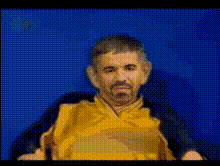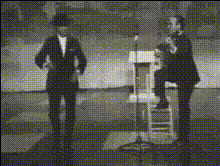
Man On Talent Show
Overview
The Man On Talent Show template lets you easily swap faces in videos, creating hilarious and engaging content. Whether you're producing a comic skit or enhancing personal videos, this Video Face Swap tool delivers results that captivate your audience. Dive into the world of seamless video editing with this transformative template.
What It Does
Utilize the Video Face Swap template to inject a new level of fun into your video projects. The template allows you to replace a performing artist’s face with another, while maintaining expressions and movements. This is particularly useful for talent show recreations or remixing videos for social media entertainment.
By leveraging AI technology, the template ensures high-quality transformations, perfect for social media shares or professional presentations. Explore other exciting features in our AI GIF Generator and AI Talking Photo products.
Who It's For
This tool is ideal for content creators, social media influencers, and anyone looking to create unique video content. It's also excellent for educators and animators who want to make learning or storytelling more interactive and fun. If you're in advertising or marketing, this tool provides a creative edge to stand out from the competition.
For more creative options, check out our AI Meme Generator and Lip Sync products.
Summary
The Man On Talent Show template is a fantastic way to spice up your videos with a touch of humor and creativity. With Video Face Swap capabilities, you can quickly transform any scene by adding a new twist to your content. The versatility of this template makes it a powerful tool in your video editing arsenal, suitable for both professional and personal use.
How To
Choose Your Template

Customize Your Video

Generate Your Creation

Use Cases
Social Media Comedy Clips
- Create viral-ready content
- Increase engagement and shares
Marketing and Promotions
- Gain attention quickly
- Highlight creativity in campaigns
Educational Content
- Engage students with fun visuals
- Enhance retention with humor
Best Practices
Choose High-Quality Source Videos
To achieve the best results, use videos with clear, well-lit faces. This ensures that the swapped face integrates seamlessly.Keep Faces Aligned
Make sure the faces are facing the same direction and have similar lighting conditions to maintain natural-looking swaps.Experiment with Different Clips
Try out the template with various video scenes to discover the most engaging and humorous results.