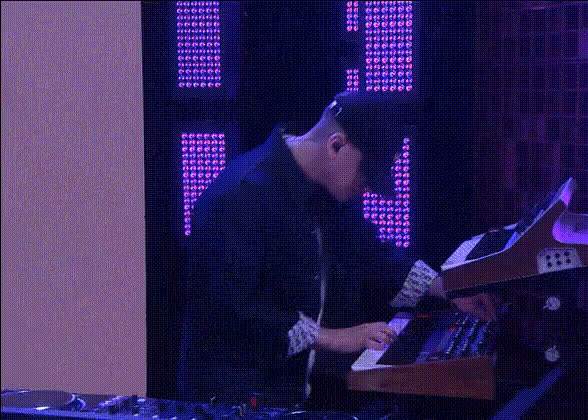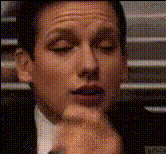
Man Playing Piano
Overview
The "Man Playing Piano" template offers a unique twist on traditional video editing by allowing you to swap faces into a video of a man playing the piano. This template is part of our Video Face Swap lineup, giving you the freedom to create personalized, engaging content that stands out. Ideal for both novices and seasoned creators, this tool makes facial transformations accessible and intriguing.
What It Does
This template utilizes sophisticated face swapping technology to insert your chosen face onto a man playing the piano. Linked to our comprehensive Face Swap Video system, it ensures high-quality results that maintain the video’s original aesthetic and timing. It automatically processes the input, seamlessly integrating the swapped face with natural expressions and movements.
Who It's For
Perfect for content creators, marketers, and anyone interested in digital media transformations, this template caters to those who wish to experiment with face swaps in their video projects. It's particularly useful for digital marketers looking to craft engaging product launch videos or social media enthusiasts who wish to jazz up their feeds with humorous transformations.
Summary
Whether you're a hobbyist or a professional, the "Man Playing Piano" template offers a straightforward path to innovate your video content. It enriches user experiences by providing a dynamic tool for face swapping, perfectly aligned with the capabilities of our AI Video Generator. Customize your projects with ease and download professional-quality results in just a few clicks.
How-To
Choose the Template

Customize Your Video

Generate and Download

Use Cases
Social Media Content
- Create humorous clips for TikTok.
- Add a unique twist to Instagram Reels.
Video Marketing
- Create memorable <a href="/use-cases/product-videos">product videos</a>.
- Develop unique ad campaigns for better reach.
Best Practices
Choose Clear Photos
Use high-resolution images for the face to ensure the swap appears seamless and natural.Adjust Lighting
Ensure that the lighting in the face photo matches the video to maintain natural integration.Preview Changes
Before generating the final output, preview and tweak any adjustments for the best results.