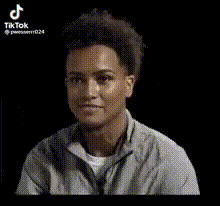
Man Making Weird Face
Overview
Entertain your audience with our Video Face Swap template, 'Man Making Weird Face.' Ideal for creators looking to explore the humor and creativity in digital transformation, this template enables you to swap faces in your videos using AI technology, maintaining a high-quality output. Perfect for social media content, comedy sketches, and more.
What It Does
The 'Man Making Weird Face' template allows you to replace existing faces in your video files with a quirky, funny face using cutting-edge Video Face Swap technology. The transformation ensures that your new content remains engaging and visually captivating. This template works well with MP4 and MOV files, making it accessible for most video projects. Use it alongside our other tools like the AI Image Editor or AI Video Generator to enhance your projects further.
Who It's For
This template is ideal for digital creators, social media influencers, and video editors who want to add a humorous twist to their content. While particularly suited for comedic content, it's also a fun way for educators and marketers to introduce a playful element into their presentations or campaigns. Pair it with the AI Voice Changer for hilariously dynamic videos.
Summary
The 'Man Making Weird Face' Video Face Swap template offers a simple yet powerful way to make your video content stand out. By integrating this face-swapping tool, creators can effortlessly inject humor and uniqueness into their videos, making them more engaging and shareable on platforms like TikTok, Instagram, and YouTube.
How-To
Choose your template

Customize your inputs

Generate your video

Use Cases
Social Media Content
- Boost follower engagement with unique face swap videos.
- Create trending content using the funny face template.
Comedic Skits
- Swap faces in classic skits for a fresh twist.
- Add a professional touch to amateur comedy.
Educational Videos
- Make lessons more engaging for students.
- Use funny faces to illustrate points humorously.
Best Practices
Optimize Video Quality
Ensure your original video is of high quality to retain clarity after face swapping.Experiment with Settings
Adjust swapping settings to find the best expression that suits your content.Use Complementary Tools
Combine with the AI Image Editor or AI Video Extender to maximize the impact and reach of your video.