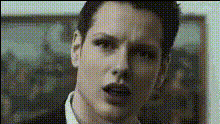
Man Making Funny Face 2
Overview
The "Man Making Funny Face 2" template is a Video Face Swap tool designed to inject humor into your projects. By swapping faces within video content, you can create amusing and engaging videos that captivate and entertain your audience. This template makes the editing process straightforward and delightful, offering a creative outlet for anyone looking to add a comedic twist to their videos.
What It Does
This Video Face Swap template transforms your original videos by replacing a person's face with another, resulting in funny and captivating content. Whether you're producing content for social media ads or personal projects, this template provides the tools you need to entertain your audience. By altering facial expressions, you can enhance the comedic aspect and make your video stand out.
Who It's For
Designed for content creators and marketers, this template is perfect for those who want to make their videos more engaging. If you're a video editor looking to expand your creative capabilities or a marketing professional aiming to craft memorable personalized video ads, this tool offers a simple yet effective solution. Perfect for social media managers, comedians, and anyone interested in exploring the humorous side of video content production.
Summary
The "Man Making Funny Face 2" Video Face Swap template is your go-to choice for making video edits that are both funny and effective. Leveraging this tool can help elevate your content and capture the interest of your audience. It pairs well with other tools like the AI Meme Generator and AI GIF Generator for a comprehensive creative suite.
How to Structure
Choose Your Template

Customize Your Inputs

Generate and Download

Use Cases
Social Media Content
- Create funny challenges
- Develop trending meme content
Marketing Campaigns
- Personalized customer experiences
- Novelty brand ads
Entertaining Personal Projects
- Creative birthday messages
- Family video compilations
Best Practices
Select High-Quality Inputs
Use videos with clear and well-lit faces to ensure the best swap quality.Experiment with Different Faces
Try various face options to see which combinations yield the funniest results.Combine Tools for Effect
Utilize this template alongside the AI Image Editor for additional customization.