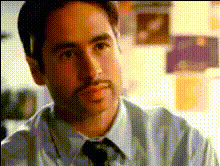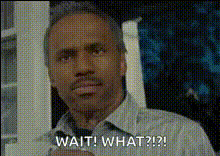
Template preview

Man Looking Surprised On Tv

Video Face Swap
1 clip
0 uses

Any aspect ratio

Tags

transformations

Overview

Bring a spark of creativity to your videos with the "Man Looking Surprised On TV" face swap template. This tool allows you to replace the face of a man in a classic surprised TV moment with any face of your choice, giving your content a humorous or shocking twist. Perfect for anyone looking to create memorable, shareable videos.

What It Does

This template leverages advanced face swapping technology to transform classic TV moments. By swapping out the face of the surprised man with another, you get a unique opportunity to insert personality or humor into your videos. Check out our Face Swap product for more details on the technology behind this transformation.

Who It's For

This template is perfect for content creators, marketers, and social media enthusiasts. Whether you're a brand looking to engage audiences with fresh content, or an individual aiming to enhance personal projects, this template provides a versatile foundation for creativity. Explore more tools like the AI GIF Generator for expanding your multimedia toolkit.

Summary

Inject fun and surprise into your video projects with the "Man Looking Surprised On TV" face swap template. It's easy to use and ideal for creating engaging content. After the swap, you can further refine your projects using our AI Face Editor to perfect every detail.

How to Use

    01

    Choose a Template

    Find the "Man Looking Surprised On TV" template by browsing the Face Swap section on Magic Hour.
    02

    Upload & Customize

    Upload the face you'd like to use for the swap. Adjust settings to ensure the face aligns well with the original scene.
    03

    Generate Your Video

    Click 'Generate' to process your video. Once done, download your new creation directly from the site.

Use Cases

📱

Social Media Ads

Create quirky and fun ads that grab attention instantly with a surprising twist.
📹

Memorable Video Messages

Send personalized video messages by replacing the face with someone familiar.
🎥

Marketing Campaigns

Use face swaps to add a unique theme to product launch videos.

Best Practices

  • Choose High-Resolution Images

    For the best results, ensure the face you upload is in high resolution to match the quality of the original TV clip.
  • Align Faces Accurately

    Use the customization tools to align the facial features correctly for a natural look.
  • Test Different Expressions

    Experiment with different facial expressions to see which best fits the surprised look.

Frequently asked questions

This template supports most standard video formats such as MP4, MOV, and AVI for both input and output.

Currently, this template allows one face swap per video. For multiple swaps, consider using the Face Swap tool.

Once your face swap video is generated, you can download it as an MP4 directly from your Magic Hour account.

Yes, videos created with this template can be used in commercial projects, but ensure you have rights for any third-party media used.

More Like This

Man Looking Surprised On Tv 1
1
Man Looking Surprised On Tv 1
Man Looking Surprised Or Annoyed
Man Looking Surprised Or Confused
Man Reacting With Surprise
Man With Surprised Expression (2)
1
Man With Surprised Expression (2)
Man With Surprised Expression 1
Man Looking Shocked Or Surprised
Man Looking Surprised Or Shocked
Man Reacting In Surprise
Man Reacts In Surprise
2
Man Reacts In Surprise
Man With Surprised Expression
surprised-man-on-tv
surprised-man-on-tv

Face Swap Video