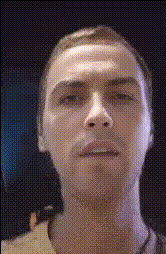
Man Face Close Up
Overview
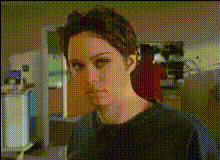
The Man Face Close Up template offers an engaging way to manipulate video content by swapping faces in close-up shots. This Video Face Swap tool allows users to create realistic transformations, perfect for various creative and professional projects. With support for video formats like MP4 and MOV, this tool enhances your ability to deliver high-quality video modifications.
What It Does
This template specializes in swapping faces in close-up video scenes, providing a detailed and lifelike result. Leveraging advanced AI models, the tool seamlessly integrates the swapped face with realistic expressions and movements. Ideal for creating engaging content, the AI Talking Photo functionality is also a helpful complement to bring more animation to your projects.
Who It's For
This tool is suitable for video editors, content creators, digital marketers, and even hobbyists looking to add a professional touch to their projects. Whether you're creating content for social media, marketing campaigns, or personal amusement, the AI Image Editor can also be beneficial alongside this template for more nuanced editing needs.
Summary
Enhance your video projects with the Man Face Close Up template. This user-friendly tool makes it simple to perform face swaps with just a few clicks, producing realistic and entertaining results. Pair it with other tools like the Body Swap feature for even more creative possibilities.
How-to
Choose Your Template

Customize Your Video

Generate and Download

Use Cases
Social Media Content
- Quick video edits for social media
- Trendy content creation
Marketing Campaigns
- Dynamic ads with face swaps
- Customer engagement
Entertainment
- Amateur film projects
- Family and friends entertainment
Best Practices
Select High-Quality Source Material
For best results, use high-resolution videos which help the algorithm better align facial features.Use Consistent Lighting
Ensure the source and target videos have similar lighting to achieve more realistic results.Check Before Finalization
Preview your video to confirm face alignment and make any necessary adjustments before generating the final version.