Lady Gaga On Phone
Overview
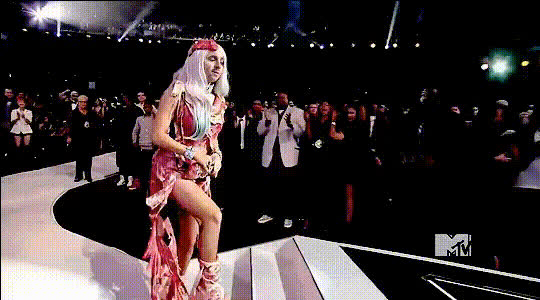
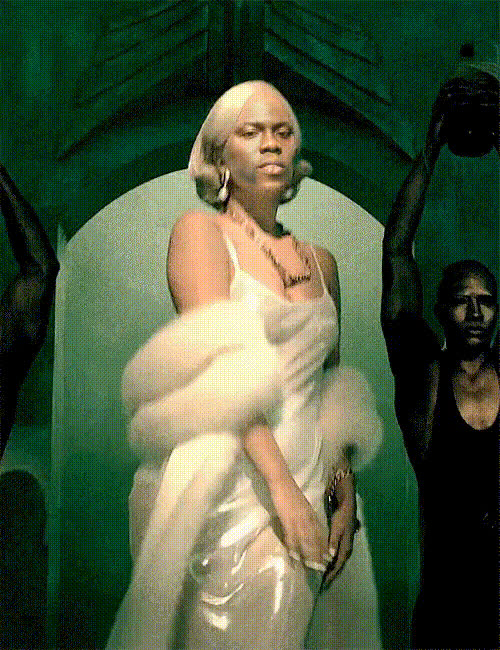
Step into the world of celebrity transformations with the Lady Gaga On Phone Video Face Swap template. This tool lets you overlay Lady Gaga's face onto any video, adding an entertaining and unique touch to your projects. Ideal for creating engaging content that stands out on social media, it's a great choice for anyone looking to experiment with AI-driven visual effects.
What It Does
The Lady Gaga On Phone template utilizes advanced Face Swap technology to replace the face in your videos with that of the iconic Lady Gaga. Simply select your video and let the tool handle the transformation, delivering a polished result that's ready to go viral. It's perfect for spicing up ordinary phone calls or social media clips, giving them a quirky new dimension.
Who It's For
This template is crafted for content creators, social media enthusiasts, and marketing professionals looking to add a touch of star power to their visual projects. Whether you're creating videos for social media ads or just want to have fun with personal clips, the Lady Gaga On Phone template offers an easy and effective solution to entertain and engage your audience.
Summary
Transform your video content with the iconic presence of Lady Gaga using our Video Face Swap template. Ideal for boosting engagement on social platforms, this tool offers a simple way to integrate celebrity faces into your media. Explore more AI-driven enhancements with our AI Video Generator and delve into endless creative possibilities.
How To
Choose Your Template

Customize Your Video

Generate and Download

Use Cases
Social Media Content
- Create eye-catching posts for platforms like Instagram and TikTok.
- Drive engagement with unique, shareable content.
Marketing and Promotion
- Use in promotional videos to captivate and entertain audiences.
- Enhance advertising with memorable visuals.
Personal Projects
- Make special occasion videos stand out with celebrity faces.
- Experiment with video editing for learning or amusement.
Best Practices
Use High-Quality Video
For best results, use high-resolution videos to accentuate the face swap effects.Ensure Bright Lighting
Well-lit scenes improve the natural appearance of the face overlay.Preview Before Finalizing
Always preview the output video to fine-tune adjustments before finalizing the download.