Template preview

Kris Jenner In Chair

Video Face Swap
1 clip
0 uses

Any aspect ratio

Tags

transformations

Overview

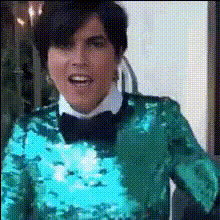
Bring a humorous twist to your videos with the Kris Jenner In Chair template. This Video Face Swap template allows you to place Kris Jenner's face into your video content, set within a chair scene, making it perfect for creating standout, amusing clips.

What It Does

This template leverages advanced Face Swap technology to replace the face in your video with Kris Jenner's, all while maintaining realistic expressions and movements. The result is a personalized video that grabs attention and delivers entertainment with a professional polish.

Who It's For

Ideal for content creators, marketers, and social media enthusiasts aiming to drive engagement through humorous and viral content. Whether you're crafting content for TikTok or YouTube Shorts, this template helps you make the most of short video formats.

Summary

Integrate Kris Jenner's face seamlessly into your video with this chair-sitting scene using our Video Face Swap template. Elevate your content with fun, watchable, and shareable final products, perfect for humor-driven channels and lighthearted marketing campaigns.

How To

    01

    Choose Your Video

    Navigate to the Face Swap templates section and select the 'Kris Jenner In Chair' template to get started.
    02

    Customize

    Upload your video and ensure the character's face is clearly visible for optimal swapping. Adjust any settings to fine-tune the face alignment and expressions.
    03

    Generate and Download

    Click on 'Generate' to process the video. Once done, download your Kris Jennerized video ready for sharing.

Use Cases

📱

Social Media Content

Create viral and engaging short clips for social media platforms using the appealing Kris Jenner face swap effect.
  • TikTok
  • Instagram Reels
  • YouTube Shorts
🎥

Marketing Videos

Enhance your lighthearted ad campaigns or promotional content with humor.
  • Brand promotions
  • Event highlights
🎉

Personal Projects

Add a comic twist to personal video projects, making them memorable.
  • Birthday videos
  • Funny greetings

Best Practices

  • Choose Clear Video Frames

    Opt for high-quality videos where the subject's face is clearly visible and well-lit. This ensures the face swap is more accurate and realistic.
  • Experiment with Angles

    Test different facial angles and expressions in your videos to see which work best for a realistic face swap.
  • Use Short Clips

    For maximum impact, use short video clips to keep the content engaging and hold viewers' attention.

Frequently asked questions

The template supports common video formats like MP4, MOV, and AVI, ensuring compatibility with most devices.

Ensure the video has good lighting and the subject's face is unobstructed for the best results.

While direct edits in the face swap aren't possible, you can use the AI Image Editor for further enhancements.

Short clips generally work best; however, check the platform for specific time restrictions according to your version.

More Like This

Kris Jenner And Kanye West
Kris Jenner Drinking
Kris Jenner In Sunglasses
Kris Jenner Smiling Proudly
Kris Jenner Smiling Sitting Down
Kris Jenner With Gun
Kris Jenner Close Up
Kris Jenner Encouragement Meme
Kris Jenner Quote
Kris Jenner Quote
Kris Jenner Surprised Expression
1
Kris Jenner Surprised Expression
Kris Jenner Talking
Kris Jenner Talking
Kris Jenner With Camera

Face Swap Video