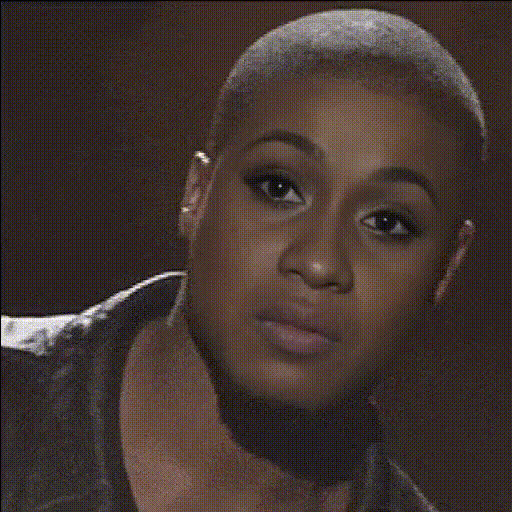
Template preview

Kevin James Confused Expression

Video Face Swap
1 clip
0 uses

Any aspect ratio

Tags

transformations

Overview

Inject humor into your projects with the Kevin James Confused Expression template designed for Video Face Swap enthusiasts. Use this template to create enjoyable videos with Kevin James' iconic bewildered look, adding a fun twist to your media projects.

What It Does

This template lets you apply Kevin James' well-known confused expression onto a face in your selected video clip. Utilizing advanced AI Video Generator technology, it ensures a smooth swap that maintains natural movements and expressions. This tool is ideal for creating engaging content that can be easily shared across various platforms.

Who It's For

The Kevin James Confused Expression template is perfect for social media managers, meme creators, and video producers looking to inject comic relief into their content. It's a great asset for those producing meme videos or anyone aiming to captivate an audience through funny and relatable expressions.

Summary

With the Kevin James Confused Expression template, creating hilarious face swap videos is straightforward and fun. It's tailored for those who want to leverage popular cultural memes to engage and entertain their audiences effectively.

How To

    01

    Choose Your Template

    Navigate to the Face Swap templates section and select the Kevin James Confused Expression template to begin.
    02

    Customize with Your Video

    Upload a video where you want to apply the face swap, selecting appropriate video clips and confirming the area for the swap.
    03

    Generate and Download

    Click on the 'Generate' button to process your video. Once completed, download the file in your desired format.

Use Cases

😂

Social Media Content

Create engaging content that resonates with a wide audience.
  • Capture attention with humorous videos.
  • Encourage shares and discussions.
🎭

Meme Creation

Add a comedic twist to trendy memes using Kevin James' expression.
  • Stay relevant with timely content.
  • Capitalize on iconic expressions.
📹

Video Marketing

Use humor to make marketing videos more relatable and engaging.
  • Boost viewer retention rates.
  • Enhance brand personality.

Best Practices

  • Select the Right Clip

    Choose a video clip that has good lighting and clear facial movements to ensure the swap looks natural.
  • Consider the Context

    Make sure the context of the video aligns with Kevin James' expression to enhance comedic effect.
  • Optimize for Platforms

    Adjust the video length and resolution to suit the social media platforms you're targeting, like Instagram or TikTok.


Frequently asked questions

For the best results, use high-quality video clips with clear, well-lit faces to enhance the realism of the swap.

Yes, this template is versatile enough for both personal and professional projects, especially for adding humor to video marketing content.

The generated videos can be downloaded in various formats suitable for online sharing and editing.

Once the swap is complete, you can use our AI Face Editor to tweak and refine the expression or other facial features.

More Like This

Eugene Levy Confused Expression
Kevin Hart Excited Expression
Kevin Hart Laughing Face
Kevin Hart Shocked Expression
Kevin Hart Surprised Expression 3
Kevin Hart Surprised Expression
1
Kevin Hart Surprised Expression
Kevin Hart Comedic Expression
Kevin Hart Funny Face
Kevin Hart Smiling Face
Kevin Hart Surprised Expression 1
Kevin Hart Surprised Expression 2
Kevin Hart Surprised Expression 4
2
Kevin Hart Surprised Expression 4

Face Swap Video