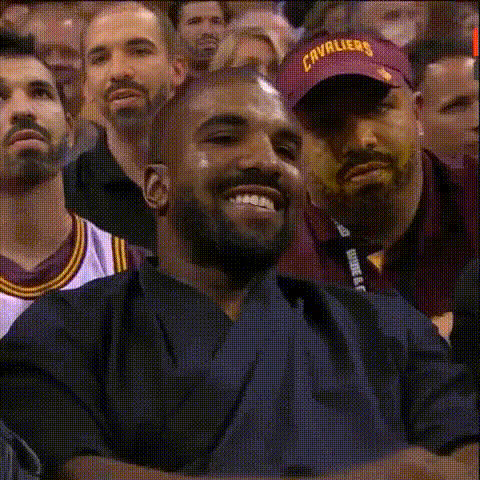
Kanye West Smug Expression
Overview
Inject humor into your video projects with the Kanye West Smug Expression Video Face Swap template. Whether you're a meme creator or a parody enthusiast, this template allows you to overlay Kanye West's renowned smug face onto any character, resulting in side-splitting content. Explore this engaging twist on digital face transformation and captivate your audience with creative videos.
What It Does
The Kanye West Smug Expression template executes a precise video face swap. It takes the iconic smug visage of Kanye West and seamlessly integrates it onto a selected face in your input video. The result is a professional-grade transformation that can be used in countless video types such as memes, parodies, and social media clips.
For professional editing consistency, consider augmenting your project using our Image to Video tool for additional creative overlays or the AI GIF Generator for creating shareable GIFs.
Who It's For
This template is ideal for content creators, social media influencers, and marketers who want to inject humor and personality into their videos. It’s perfect for those looking to engage audiences with playful content like meme videos or social media ads. This tool is also valuable for digital marketing professionals seeking to create viral content that resonates with pop culture audiences.
Summary
Become a meme magnate with the Kanye West Smug Expression Video Face Swap template. This tool offers a blend of humor and technical capability, allowing creators to swap faces in video content effortlessly. The template's use of Kanye's well-known expression makes it particularly suited for comedic and parody content across various platforms.
Expand your creative toolkit with complementary products like the AI Voice Changer for the ultimate customized output or explore other swaps through the Face Swap product collection.
How-To
Choose Your Template

Customize Your Input

Generate Your Video

Use Cases
Meme Creation
- Capture attention with relatable humor
- Enhance virality of shared content
Parody Videos
- Engage audiences with creative storytelling
- Combine with <a href="/products/ai-image-editor">AI Image Editor</a> for polished results
Social Media Campaigns
- Increase engagement with share-worthy content
- Foster brand recognition and appeal
Best Practices
Select High-Quality Footage
Ensure your input video is of high quality for the best face swap results. Clear, well-lit footage maximizes the alignment and integration of faces.Preview Before Finalizing
Utilize preview options to perfect adjustments. This ensures the facial swap looks natural and matches the tone you wish to convey.Experiment with Angles
Try different video angles to see what works best with the expression overlay, enhancing the comedic effect.