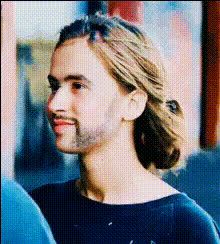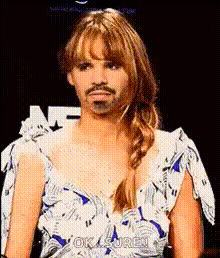
Template preview

Jennifer Lawrence Looking Concerned

Video Face Swap
1 clip
0 uses

Any aspect ratio

Tags

transformations

Overview

The Jennifer Lawrence Looking Concerned template allows users to create engaging face swap videos that add a unique twist to any scene. Swap faces with this Hollywood icon to capture humorous reactions ideal for lighthearted content creation.

What It Does

This Video Face Swap template transforms your original footage by inserting Jennifer Lawrence's concerned expression seamlessly into the video. The result is a fun, shareable clip that provides endless entertainment, perfect for social media platforms.

Who It's For

This template is ideal for video creators looking to amuse their followers with quirky and comedic content. Social media influencers, digital marketers, and video content enthusiasts can all benefit from the unique engagement this face swap technique can generate.

Summary

By using the Jennifer Lawrence Looking Concerned template, you can inject humor into your videos in a manner that's visually captivating. It's an excellent choice for anyone who wants to explore AI-powered visual transformations to drive engagement and delight audiences.

How To

    01

    Select Template

    Navigate to the Face Swap category and choose the Jennifer Lawrence Looking Concerned template.
    02

    Customize Video

    Upload your video and adjust the positioning of Jennifer Lawrence's face. Enhance the scene by tweaking expressions to match the desired context.
    03

    Create Your Video

    Click 'Generate' to process your face swap video. Once done, download the final video file for social media sharing or saving.

Use Cases

📱

Social Media Entertainment

Engage your audience with lighthearted swap videos.
  • Increase followers' interactions
  • Share viral content
💼

Digital Marketing

Use face swap videos in promotional campaigns to resonate with audiences.
  • Boost click-through rates
  • Enhance brand personality
🎥

Content Creation

Cater to niche audiences by adding a layer of humor.
  • Produce unique scenes
  • Create memorable clips

Best Practices

  • Choose High-Quality Source Footage

    Ensure your original video is clear, as this will lead to a more convincing face swap and better final output.
  • Align Facial Features Precisely

    Take time to align facial features accurately for better natural-looking results. Use facial markers as a guide.
  • Test Different Expressions

    Experiment with various expressions of Jennifer Lawrence to suit different moods of the scenes.

Frequently asked questions

Most common video formats such as MP4, MOV, and AVI are supported.

Yes, the template allows you to tweak the face swap settings to fit your video's tone.

The generated video can be downloaded in multiple resolutions depending on your needs.

Processing time varies with video length but generally completes within a few minutes.

More Like This

Disgusted Jennifer Lawrence Face
2
Disgusted Jennifer Lawrence Face
Jennifer Lawrence Angry Face
Jennifer Lawrence Crying
Jennifer Lawrence Sitting Down
Jennifer Lawrence Smiling 1
Jennifer Lopez Shocked Expression 1
Jennifer Coolidge Shocked Expression
Jennifer Lawrence Close Up Portrait
Jennifer Lawrence Funny Face
Jennifer Lawrence Shocked Face
Jennifer Lawrence Smiling
1
Jennifer Lawrence Smiling
woman-looking-concerned

Face Swap Video