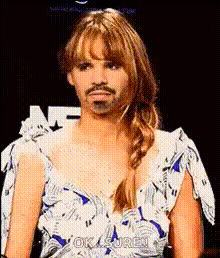
Disgusted Jennifer Lawrence Face
Overview
Elevate your content by swapping any face in your video with Jennifer Lawrence's famous "disgusted" expression. This Video Face Swap template brings both humor and drama to your projects, making it perfect for a range of creative applications.
What It Does
Transform standard video footage by overlaying Jennifer Lawrence's well-known disgusted face onto your subjects. Utilize the advanced Video Face Swap technology to maintain natural movement and lip sync, ensuring a seamless blend. Easily adjust the face swap parameters to fit any frame and mood.
Who It's For
This template is ideal for content creators, comedians, and filmmakers looking to add a touch of celebrity flair to their videos. Whether you're aiming for laughter or a unique narrative twist, this tool offers the perfect solution. Compatible with both personal projects and professional video production needs.
Summary
The Disgusted Jennifer Lawrence Face template provides a unique opportunity to alter your video content with a distinct expression. Leveraging advanced AI tools, it ensures your transformations are both humorous and realistic. Enhance your storytelling with a mix of levity and dramatic effect.
How To
Choose Your Template

Customize Your Video

Generate Your Transformed Video

Use Cases
Comedy Skits
- Short films
- Online memes
- Prank videos
Dramatic Storytelling
- Dramatic short stories
- Artistic video projects
- Film trailers
Social Media Content
- Instagram stories
- TikTok videos
- YouTube shorts
Best Practices
Choose Clear, Well-lit Footage
For optimal results, use high-quality clips with good lighting. This helps maintain clarity and believability in the face swap.Align Expression and Movement
Ensure the original face's expression lines up with Jennifer Lawrence's expression to create a more cohesive and natural look.Experiment with Different Contexts
Test the template in varied settings to discover unique and humorous outcomes.