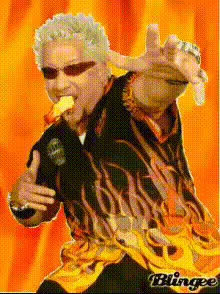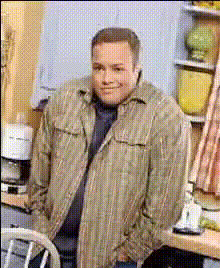
Guy Fieri Kitchen Portrait
Overview
Bring a dash of fun to your video content with the Guy Fieri Kitchen Portrait Video Face Swap template. Swap faces within seconds and become the star of your very own culinary show, right alongside the iconic chef himself. It's an engaging way to add humor and personality to your videos while maintaining high-quality output.
What It Does
This Video Face Swap template lets users transform their appearance in video clips to resemble Guy Fieri. It works smartly to map facial features so the swap looks natural within any kitchen-themed video. The template outputs in popular video formats compatible with all major editing software.
For more creative options, consider our Video Face Swap product suite, which offers a variety of customization choices.
Who It's For
Ideal for food bloggers, video creators, and brands looking to add a splash of entertainment to their content, this template appeals to anyone attempting to create light-hearted, shareable moments. Perfectionists who appreciate detail-oriented transformations will appreciate how this template captures expression nuances, bringing even more life to your swapped face videos.
Summary
With the Guy Fieri Kitchen Portrait template, you can infuse your videos with humor and uniqueness by swapping faces with a celebrity chef. Perfect for creating engaging and sharable content, it delivers an easy solution that ensures realistic results and delivers quality video footage. Explore further transformations with our Face Swap and AI Video Generator tools.
How To
Choose Your Template

Customize Your Video

Generate and Download

Use Cases
Culinary Content
- Create funny kitchen scenes
- Add a celebrity touch
Social Media Entertainment
- Generate viral content
- Engage followers
Brand Campaigns
- Increase brand engagement
- Create memorable ads
Best Practices
Select High-Quality Footage
Make sure your original video has high resolution; this enhances the template's ability to perform accurate face swaps.Align Features Correctly
Adjust alignments carefully to ensure the swapped face looks natural in varying video angles.Experiment with Different Clips
Try different video clips to discover where the face swap effect shines the most, whether with dynamic or static scenes.