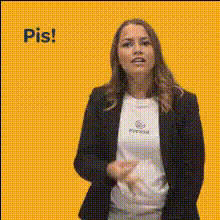
Girl Looks Up Waves Hand
Overview
The "Girl Looks Up Waves Hand" template is designed for those looking to create engaging and playful videos with a personal touch. This Video Face Swap tool lets you seamlessly change the face within a video so you can capture audience attention instantly.
What It Does
With this template, transform a standard video clip into something uniquely yours by swapping the girl's face with any face you choose. It's perfectly suited for light-hearted transformations that add a personal or humorous twist to your social media content. Easily apply a new face and preview the results before download.
Who It's For
This tool is ideal for social media enthusiasts, content creators, and marketers who wish to create engaging posts that stand out. Whether you're a professional trying to spice up corporate content or an influencer looking to entertain your fans, the accessibility of the AI Video Generator makes it a great choice for users of all technical skills.
Summary
"Girl Looks Up Waves Hand" offers a straightforward, yet innovative way to create captivating video content. The template enhances any clip by adding a unique facial twist, creating memorable and shareable videos fitting for social media platforms. With this template, bring your creative vision to life in just a few clicks using the capabilities of Image to Video technology.
How to Use
Choose Your Template

Customize Your Video

Generate and Download

Use Cases
Social Media Engagement
- Jump on trending challenges
- Showcase user-generated content
Creative Marketing
- Stand out in promotional videos
- Enhance brand storytelling
Personal Amusement
- Create custom birthday videos
- Add surprise elements to shared clips
Best Practices
Use High-Quality Photos
Ensure the input photo is clear and well-lit to achieve the best face swap results.Align the Face Properly
Adjust the face placement carefully in the template to maintain natural appearance.Preview Before Finalizing
Always preview your video to catch any small adjustments that may be needed before the final generation.