Template preview

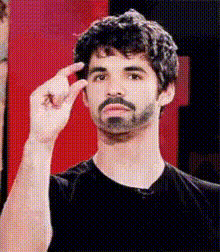
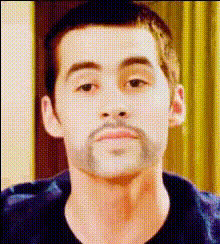
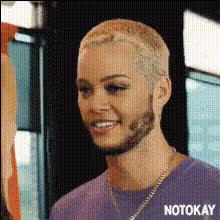
Dylan Obrien Smiling

Video Face Swap
1 clip
0 uses

Any aspect ratio

Tags

transformations

Overview

The Dylan O'Brien Smiling template is perfect for injecting humor into your videos. This Video Face Swap tool allows you to replace faces with realistic expressions, capturing the charm of Dylan O'Brien's smile in your clips.

What It Does

This template enables you to perform a face swap using Dylan O’Brien's image, bringing lifelike animations to your video. It effectively maintains the original facial expressions, giving an authentic look and making the process of video editing entertaining and straightforward.

Who It's For

Ideal for content creators, meme aficionados, and anyone looking to add a dash of playful creativity to their work. Whether you're creating videos for social media, marketing, or personal enjoyment, this template helps you leverage AI tools to captivate your audience's attention.

Summary

Animate your videos with Dylan O'Brien's iconic smile using this easy-to-use template. Boost your engagement rates by sharing these humorous face swaps, all powered by innovative Image-to-Video conversion technology.

How To

    01

    Choose the Template

    Navigate to the Video Face Swap section and select the Dylan O'Brien Smiling template to get started.
    02

    Customize Your Content

    Upload the video where you want Dylan's face swapped in. Make sure you position the face properly to match the intended expressions.
    03

    Generate and Share

    Once satisfied with the setup, click generate. Download your video and share it with friends or on social media.

Use Cases

📱

Social Media Content

Engage your followers with unique face-swapped videos that feature popular celebrities.
  • Instagram stories
  • TikTok videos
  • Snapchat filters
📣

Marketing Campaigns

Add a touch of humor to your ad campaigns by incorporating well-known personalities.
  • Dynamic advertisements
  • Viral marketing content
🎉

Personal Entertainment

Create spontaneous, delightful content to entertain yourself and your friends.
  • Fun video messages
  • Personal video projects

Best Practices

  • Use High-Quality Videos

    For optimal results, ensure the video clips you upload are clear and contain good lighting. This helps in syncing and maintaining quality.
  • Align Faces Correctly

    Make sure the target face is aligned properly with the source to maintain natural expressions.
  • Experiment with Different Clips

    Try different videos to see how the tool handles various angles and expressions.

FAQs

You should upload standard video formats such as MP4 for best compatibility.

Yes, provided you comply with Magic Hour's terms of service, you can use the template for commercial and personal projects.

Currently, you can only use the face swap tools through our web platform, but mobile accessibility is a feature in development.

Ensure the source and target videos have consistent lighting and clear facial details for seamless integration.

More Like This

Dylan Obrien Casual Outdoor Scene
Dylan Obrien Closeup 2
Dylan Obrien Closeup
Dylan Obrien Funny Face
Dylan Obrien Smiling 1
Dylan Obrien Standing
Dylan Obrien Closeup 1
Dylan Obrien Closeup 3
2
Dylan Obrien Closeup 3
Dylan Obrien Funny Face 1
4
Dylan Obrien Funny Face 1
Dylan Obrien Relaxed Pose
1
Dylan Obrien Relaxed Pose
Dylan Obrien Smiling With Pen
Dylan Obrien Thinking
1
Dylan Obrien Thinking

Face Swap Video