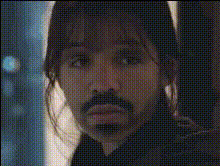
Crying Woman Red Hair
Overview
The Crying Woman Red Hair template offers a Video Face Swap that delivers an emotional punch to your video projects. Whether you're crafting a heartfelt story or looking to add an unexpected element, this template injects a powerful transformation that captures attention. By using this template, you can easily interchange faces in your videos, creating a vivid storytelling experience that stands out.
What It Does
This template allows you to swap any face in your video with the Crying Woman Red Hair actor. Whether the goal is to create a humorous meme or convey a deeper emotional narrative, this face swap tool enhances your video content. It processes typical video formats and ensures the swapped faces blend naturally with existing footage for a seamless visual experience.
This dynamic tool aligns well with other face-centric applications such as the AI Talking Photo and Video Face Swap for comprehensive transformations.
Who It's For
This Video Face Swap template is ideal for creators, marketers, and educators who are eager to enrich their visual content. Whether you're working on a product demo video, a social media campaign, or an educational piece, this template provides the tools necessary to keep your audience engaged. If you're interested in exploring further transformations, consider the AI Image Editor for additional editing capabilities.
Summary
The Crying Woman Red Hair Video Face Swap template is a versatile tool in storytelling and content creation. It allows for impactful transformations that can evoke emotion and engage audiences. Explore more creative avenues with complementary tools like the AI Clothes Changer, or check out other Video Face Swap options available.
How To Structure
Choose Your Template

Customize Your Video

Generate Your Content

Use Cases
Social Media Campaigns
- Intriguing story twists
- Emotional engagement
- Viral potential
Creative Video Editing
- Documentary enhancements
- Movie parody
- Thematic visuals
Educational and Training Videos
- Interactive video lessons
- Personal empathy exercises
- Diversity and inclusion training
Best Practices
Appropriate Lighting
Ensure the original video has adequate lighting for better face recognition and a more accurate swap.Consider the Context
Use this tool when you want to evoke a particular emotional response; ensure your narrative aligns with the facial expressions.Integrate with Other Tools
Combine with the Text to Video tool to add narrative text that complements the visual transformation.