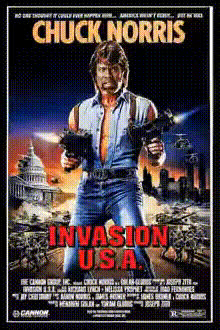
Chuck Norris Invasion Usa
Overview
Bring the action-packed thrill of Invasion USA into any video with this Chuck Norris Face Swap template. Transform mundane scenes into adrenaline-pumping moments by seamlessly integrating Chuck Norris's iconic face. Perfect for fans of action films and those looking to add some excitement to their projects.
What It Does
This template replaces faces in your video footage with Chuck Norris's legendary persona, allowing you to recreate intense scenes from Invasion USA. Utilizing advanced face swap technology, this tool is ideal for creating high-impact visuals for fun or promotional content.
Further elevate your production with the AI Voice Changer to match Chuck's signature dialogue. Explore other creative possibilities with the Body Swap tool for full character transformations, or try the Meme Generator to add humor to your videos.
Who It's For
This template is designed for content creators, action movie enthusiasts, and marketers looking to infuse their projects with the compelling charm of Chuck Norris. Whether you're crafting a parody, a promotional video, or just having fun, this tool provides a straightforward way to enhance viewer engagement.
Summary
Craft captivating video content by swapping faces with one of Hollywood's most iconic action stars. Leverage this template to transform any scene into a tribute to Chuck Norris and his film, Invasion USA. Pair it with other tools like the Text to Video or the AI Video Generator for more dynamic audiovisual content.
How To
Choose Your Template

Customize Your Inputs

Generate and Download

Use Cases
Film Parodies
- Inject humor into ordinary scenes
- Leverage iconic action sequences
Marketing Campaigns
- Enhance social media ads
- Create memorable video content
Personal Projects
- Impress friends with creative content
- Make share-worthy videos
Best Practices
Choose High-Quality Source Footage
For the best results, use videos with clear, well-lit imagery to ensure the face swap technology performs optimally.Adjust Swap Settings for Realism
Utilize the customization options to fine-tune the swap, achieving a balance that maintains the realism in the altered video.Combine with Other Tools
Enhance your final output by utilizing complementary tools like the AI Face Editor to perfect details.