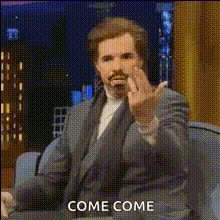
Bill Burr Pointing And Smiling
Overview
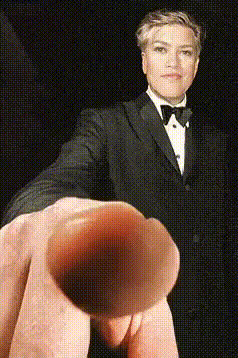
Transform any lighthearted clip into a comedy gem with the Bill Burr Pointing And Smiling template. This Video Face Swap tool allows you to place your or another's face onto Bill Burr as he points and smiles, adding a humorous twist to your video content. Ideal for meme creation and playful videos that engage audiences with a chuckle.
What It Does
This template provides an easy-to-use face swapping solution that overlays any face onto a video of Bill Burr pointing and smiling. The effect is realistic and seamlessly blends the features with state-of-the-art facial recognition and overlay technology, turning headshots or selfies into laughter-inducing videos.
Who It's For
This template is perfect for content creators, meme enthusiasts, and anyone looking to add a humorous clip to their video arsenal. Whether you're managing social media for a brand or spicing up personal content, this tool is designed for you. It also fits superbly into any meme video strategy or lighthearted video project.
Summary
Utilize the Bill Burr Pointing And Smiling template to create engaging, funny videos effortlessly. With its high customization options and precise rendering, you’ll find it easy to make content that's both personal and entertaining. Check out other tools like the AI Meme Generator for more creative possibilities.
How-To
Choose Template

Customize Swap

Generate and Download

Use Cases
Memes and Social Media
- Perfect for TikTok and Instagram Reels
- Boosts engagement with humor
Marketing Campaigns
- Engage viewers in a playful way
- Ideal for campaigns targeting younger audiences
Video Greetings
- Add humor to birthday and holiday wishes
- Simple way to enhance personal messaging
Best Practices
Choose High-Quality Images
Use clear, high-resolution images for more effective face swapping results. This ensures better alignment and realism.Adjust Face Positioning
When swapping faces, make sure to adjust the image within the marked guides for a more natural look.Preview Before Finalizing
Always preview the video before generating the final version to ensure everything is aligned and looks just right.