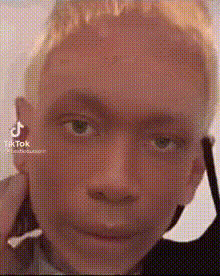
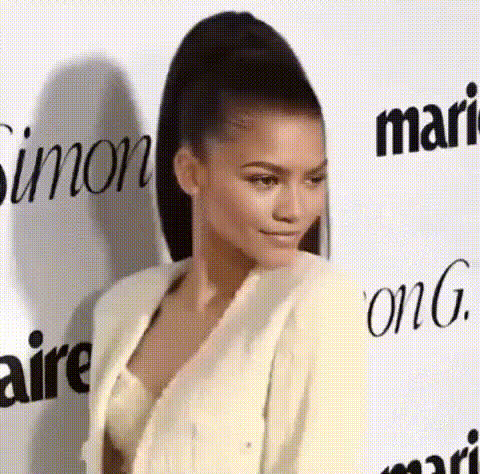
Kylie Jenner ENews
talking-photo
Any aspect ratio
Turn Any Photo into a Talking AI Spokesperson
Use this Magic Hour template to transform a static portrait into a realistic talking avatar that speaks any script you write. It’s built with AI Talking Photo, so you can quickly produce short, polished videos for product explainers, landing pages, social ads, onboarding, or personalized outreach—without a camera, studio, or on‑screen talent.
What This Template Does
This template shows you how to:
- Take any photo (yourself, a teammate, a character, or a stock image)
- Make the face talk with natural lip-sync and facial movement
- Sync the mouth to your script or voiceover
- Export a ready‑to‑share video for web, social, or email
It’s especially useful for:
- Founders & marketers – fast spokesperson videos, product explainers, cold outreach, sales pages
- Creators – character intros, content series, YouTube hooks, podcast promos
- Educators & course builders – talking instructors, lesson recaps, onboarding sequences
- Product teams – in‑product walkthroughs, help-center videos, release notes
How to Remix This Template in Magic Hour
You can replicate and customize this template in a few minutes. Here’s the practical workflow creators and marketers tend to use:
Choose or create your portrait
- Start with a clear, front-facing photo: a headshot, character art, or branded illustration.
- If you don’t have a good image yet, you can:
- Generate one with the AI Photo Generator or AI Character Generator
- Design a stylized avatar with Animated Characters Generator or AI Manga Generator
- Create a professional headshot from a selfie using the AI Headshot Generator
Clean up and enhance your image (optional but recommended)
- Sharpen and upscale with the AI Image Upscaler
- Remove clutter or unwanted elements using the AI Remover or Remove Object from Photo
- Adjust background with:
- Color-correct or restore older photos with Old Photo Restoration or Photo Colorizer
Create the talking avatar with AI Talking Photo
- Open AI Talking Photo.
- Upload your prepared image.
- Add the script you want spoken, or use audio generated with:
- AI Voice Generator for synthetic voices
- AI Voice Cloner if you want the avatar to sound like you or your spokesperson
- Generate your talking photo video.
Refine the video with related tools (optional)
- Convert your talking photo into different styles or sequences with:
- Video-to-Video – restyle your talking avatar (e.g., comic, cinematic, animated)
- Lip Sync – retarget mouth movement to new speeches or languages
- Face Swap Video – put the same “spokesperson face” onto different video scenes
- Image-to-Video – extend short clips into more complex motion
- Add accurate captions with the Auto Subtitle Generator.
- Upscale and clean the final output with the Video Upscaler.
- Convert your talking photo into different styles or sequences with:
Export and use everywhere
- Download your talking-photo video and drop it into:
- Landing pages and product sites
- LinkedIn posts, X threads, TikTok, Reels, or YouTube Shorts
- Email campaigns and sales outreach
- In‑product onboarding or help-center articles
- Download your talking-photo video and drop it into:
High‑Impact Use Cases & Patterns
This template is intentionally generic so you can adapt it to many formats. A few proven patterns:
1. Landing Page Spokesperson
Use your own face or a brand character to:
- Greet visitors and explain your value prop in 10–30 seconds
- Walk through a key feature or pricing shift
- Personalize by segment (e.g., “For SaaS founders…”, “For agencies…”)
Recommended flow:
- Generate or upload a professional headshot.
- Turn it into a talking avatar with AI Talking Photo.
- Generate a concise script with your favorite LLM (ChatGPT, Claude, Gemini) and paste it into Magic Hour.
- Export and embed on your homepage, pricing, or feature pages.
2. Personalized Sales & Outreach Videos
Replace generic cold emails with quick personalized clips:
- Create a talking persona that introduces you, your product, or a pitch.
- Use AI Voice Cloner so it still “sounds like you.”
- Use multiple talking-photo variants targeted at different industries or roles.
You can also repurpose one core video and change only:
- The intro sentence (e.g., “Hey [Founder at Fintech]…”)
- The call-to-action (e.g., “Book a demo,” “Try the free tier,” “Reply and I’ll send a teardown”)
3. Course, Training, and Onboarding Narrators
Turn a static instructor headshot into a re‑usable, evergreen video instructor:
- Build introductions and recaps for modules.
- Convert lesson notes into a talking instructor.
- Localize to multiple languages by pairing AI Talking Photo with AI Voice Generator in different languages.
You can also blend with:
- Animation for stylized lesson intros
- Comic Book Generator for visual summaries
4. Brand Characters & Social Content
Create recurring characters that “host” your content:
- Generate a mascot via AI Character Generator or AI Anime Generator.
- Turn that character into a talking host for:
- Weekly product updates
- Short explainers
- Meme‑style commentary (pair with the AI Meme Generator)
You can also remix your character into GIFs using the AI GIF Generator for reactions, replies, or social threads.
How to Design a Strong Talking Photo Avatar
A few practical guidelines to get results that look more natural and professional:
Use clean, front‑facing photos
- Eyes looking roughly at the viewer
- Minimal obstructions (no heavy shadows across the face)
- Reasonable resolution (sharper inputs produce better motion)
Optimize lighting and contrast
- Even lighting across the face
- Avoid extremely dark or overly stylized filters unless you’re aiming for a specific effect
Keep the background simple
- Solid colors or subtle gradients work well
- If needed, clean up with Image Background Remover or AI Background Generator
Match voice and persona
- Use AI Voice Generator to test different tones:
- Friendly and casual for community content
- Neutral and clear for product explainers
- Formal for enterprise or investor‑facing materials
- Clone your voice with AI Voice Cloner for authenticity and brand consistency.
- Use AI Voice Generator to test different tones:
Advanced Remix Ideas for Power Users
If you’re building more complex experiences or automations, this template can be the visual “front end” for a variety of AI workflows:
Dynamic, script-driven videos
- Use your own LLM stack (e.g., via API) to generate scripts based on user data.
- Feed those scripts into AI Talking Photo and AI Voice Generator to programmatically create personalized explainers or onboarding clips.
Multi‑avatar conversations
- Create multiple talking photos (e.g., “Host,” “Customer,” “Engineer”).
- Alternate between them using Face Swap Video and Video-to-Video for scene variations.
- Use Text-to-Video to generate background B‑roll segments with overlaid talking photo cut‑ins.
Brand-accurate marketing systems
- Generate brand‑consistent visuals with:
- AI Logo Generator
- Thumbnail Maker
- Album Cover Generator for podcast or content series covers
- Use a single talking avatar across ads, landing pages, and nurture sequences for continuity.
- Generate brand‑consistent visuals with:
Related Magic Hour Tools to Explore
While this template is centered on AI Talking Photo, you can expand your workflow with:
- Face Swap and Face Swap GIF – put your avatar into existing media.
- AI Face Generator – quickly explore multiple persona concepts.
- AI Selfie Generator – casual, social‑native variants of your avatar.
- AI Art Generator – create on‑brand visual environments or backgrounds.
- AI Outfit Generator and AI Fashion Generator – explore different looks for your on‑screen persona.
Getting Started
To create your own version of this template:
- Prepare or generate a portrait (human, character, or mascot).
- Clean, enhance, and style it using the image tools linked above.
- Open AI Talking Photo and turn that image into a talking avatar with your script.
- Remix with Lip Sync, Video-to-Video, and Face Swap Video as needed.
- Export and ship: add it to your landing pages, campaigns, product, or content pipeline.
This template is designed to be a starting point. Remix it, chain it with other Magic Hour tools, and turn static images into a repeatable system for high‑leverage, on‑brand video content.