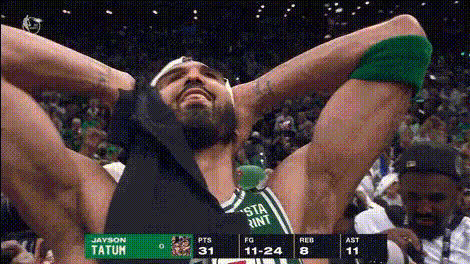
Jayson Tatum postgame interview
- Video
- 12 sec
Any aspect ratio
Overview
The Jayson Tatum Postgame Interview template uses AI-driven photo animation to bring postgame commentary alive. Capture the excitement of Jayson Tatum's interviews using this AI Talking Photo template, designed to transform still photos into engaging video content.
What It Does
This template animates Jayson Tatum's likeness in a postgame interview format. Simply upload a photo, and the AI Video Generator synchronizes the animation with customizable dialogue, making the photo speak like a live interview.
Who It's For
Perfect for social media marketers, sports bloggers, and content creators wanting to spice up their posts with interactive content. This template is also ideal for sports organizations aiming to provide fans with compelling, animated content through their digital channels.
Summary
The Jayson Tatum Postgame Interview template is a powerful tool to convert a static image into an interactive piece of content. Enhance your digital storytelling by pairing this with the AI Voice Changer to diversify the narrative attributes of any interview.
How-To
Choose Your Template

Customize Your Photo and Script

Generate Your Animation

Use Cases
Sports Highlight Reels
Fan Engagement
Promotional Material
Best Practices
Use High-Quality Images
Ensure the image you upload is clear and high-resolution to maximize the AI's effectiveness.Craft Authentic Dialogue
Write interview scripts that reflect realistic postgame analysis for greater audience engagement.Test Different AI Voice Options
Pair the template with the AI Voice Changer to explore different vocal styles and tones.