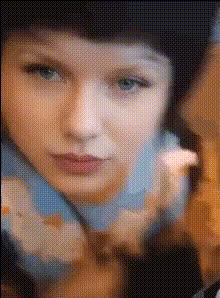
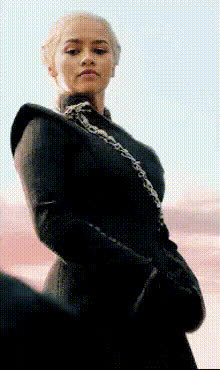
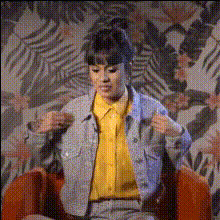
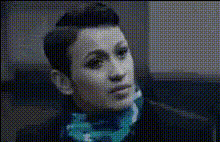
1970s portrait

Image-to-Video
1 clip
1 use

Any aspect ratio

Prompt

The girl pulled the scarf down and transformed.

Tags

transformations

Overview

The 1970s Portrait template lets you bring retro charm to life by transforming static images into dynamic videos. With an emphasis on vintage aesthetics, this template is perfect for anyone wishing to encapsulate nostalgia in a modern format.

What It Does

This template uses the Kling 3.0 model to take a 1970s-themed portrait and transform it into an engaging video. Ideal for showcasing creative projects, this template applies smooth transitions to depict the transformation of a subject, such as a girl pulling down a scarf.

Who It's For

Whether you're a videographer, content creator, or simply a fan of vintage styles, the 1970s Portrait template is designed for you. It's an excellent tool for those using the image-to-video transformation techniques to add a nostalgic touch to modern presentations.

Summary

Bring the spirit of the 1970s into your projects with this versatile template. By leveraging the power of the Kling 3.0 model, you'll achieve seamless image-to-video transformations. Combine this with other tools, like the AI Video Generator for more advanced edits.

How To

Start your retro journey with these three steps to create dynamic, engaging videos from 1970s portraits.
    01

    Choose Your Template

    Find and select the '1970s Portrait' template in the Image-to-Video category from our library.
    02

    Customize Your Inputs

    Upload your 1970s-themed portrait image. Adjust the prompt if needed, focusing on portrait elements like scarves or hairstyles.
    03

    Generate Your Video

    Click 'Generate' to process the transformation. Once completed, download your new vintage-style video.

Use Cases

Discover the potential of the 1970s Portrait template for various applications.
🎥

Creative Retro Videos

Immerse your audience in the charming vibe of the 1970s.
  • Vintage-inspired music videos
  • Marketing campaigns with a retro twist
🎨

Artistic Projects

Enhance personal artistic projects with a nostalgic animation.
  • Visual storytelling
  • Personal archive transformation
📱

Social Media Content

Create standout social media posts with dynamic retro videos.
  • Instagram stories and reels
  • TikTok clips with a vintage flair

Best Practices

To achieve the best results with the 1970s Portrait template, consider these tips.
  • Select Clear Portraits

    Use high-quality images to ensure the best video output.
  • Stay True to the Theme

    Incorporate other vintage elements in your projects for a consistent retro look.
  • Use Complementary Tools

    Pair with the AI Talking Photo to add voiceovers for more immersive videos.
Frequently asked questions

For optimal results, use high-quality 1970s-themed portrait images.

Yes, the prompt can be adjusted to highlight different transformation elements within the video.

Absolutely, focus on authentic vintage elements to maintain a genuine retro vibe.

The generation time can vary based on the image quality but typically completes within a few minutes.

More Like This

Man On Rooftop With Scarf
1
Man On Rooftop With Scarf
person-with-blue-scarf
woman-in-black-coat-chains
woman-in-plaid-jacket
woman-smiling-in-white-jacket
woman-with-striped-jacket
Man Wearing A Scarf
Man Wearing A Scarf
woman-in-black-and-white-dress
woman-in-black-dress-poses
1
woman-in-black-dress-poses
woman-in-sunglasses-and-hoodie
woman-smiling-with-necklace
1
woman-smiling-with-necklace
3
Mirror Outfit Reveal

Image-to-Video