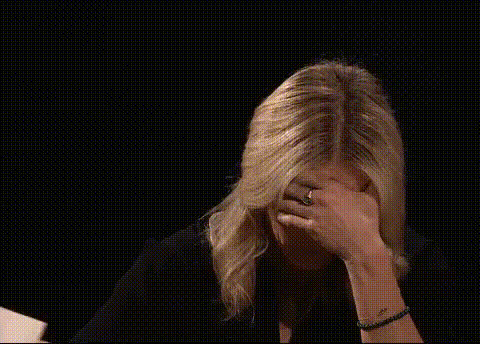
Woman's hair grows as she gets mad
- Model
- Kling 3.0
- Video
- 15 sec · 720p
Prompt
A ugly shorter woman in mid 50's with her hair in a bun is talking to a beautiful blonde woman the same age telling her, "I run this company." " I am this company!" "Either your on my team or his". As she is talking her bun gets bigger and bigger. The blonde woman watches it grow in shock then laughs
Any aspect ratio
Overview
Explore the "Woman's Hair Grows as She Gets Mad" Text-to-Video template powered by the kling-3.0 model. This engaging template allows you to create dynamic video scenes where a character's emotions visibly affect her physical appearance, ideal for creative projects and animation sequences.
What It Does
This template captures an animated conversation between two characters, focusing on one woman's growing bun as her temper flares. The model analyses the provided script and generates a video where the narrative unfolds, making it perfect for storytelling with visual humor. By leveraging this template, creators can express character-driven narratives effectively.
Who It's For
Suitable for animators, filmmakers, and content creators, this template is a powerful tool for those looking to convey complex emotions in video form. It's particularly useful in Text-to-Video projects, offering a fun and visually intriguing method to enhance storytelling.
Summary
Whether you're an independent creator or part of a larger production team, this template offers a unique way to portray dynamic character interactions. Use it to transform written scenarios into compelling video narratives effortlessly. Combine it with other tools such as the AI Image Editor for even more versatility in your projects.
How-To
Choose the Template

Customize the Scene

Generate the Video

Use Cases
Animated Humor Scenes
- Bring written jokes to life
- Add humor through visual effects
Character-Driven Narratives
- Showcase character development
- Enhance dialogue impact
Storytelling for Marketing
- Create memorable ads
- Explain products through narrative
Best Practices
Refine Your Script
Ensure your dialogue is engaging and crisp to enhance viewer interest.Sync Visual and Audio
Make sure the growing hair effect aligns perfectly with the dialogue for maximum impact.Explore Styling Options
Use the Full Body Generator to customize character appearance further before rendering.