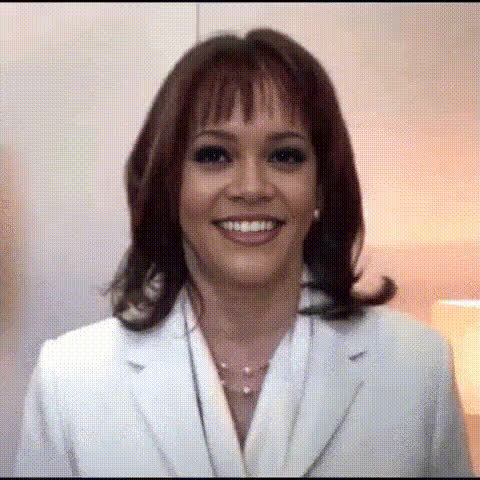
Kamala Harris recounts her honeymoon

lip-sync

1 clip
1 uses

Any aspect ratio

AI Lip Sync Template – Turn Any Photo Into a Talking Video (Magic Hour)

Bring a static face to life with studio‑quality lip sync. This template uses Magic Hour’s Lip Sync engine to match mouth movement to any audio—perfect for short‑form content, explainers, memes, product demos, or rapid A/B tests of creative.


What this template does

This template lets you:

  • Upload a face (photo, illustration, avatar, or character)
  • Add or upload audio (voiceover, dialogue, narration, music with vocals)
  • Generate a short video where the character speaks in sync with the audio

Under the hood, Magic Hour’s AI talking photo and Lip Sync models analyze phonemes in your audio and map them to realistic mouth shapes, timing, and subtle facial motion. The result: a talking head video that feels natural enough for social content, quick explainers, and concept proofs.


When to use this Lip Sync template

This template is optimized for:

  • Creators & marketers
    • Talking‑head shorts for TikTok, Reels, YouTube
    • Localized promos by swapping audio for different languages
    • Character‑driven hooks, intros, and CTAs
  • Founders & product teams
    • Fast prototype videos for landing pages and pitch decks
    • Lightweight “virtual spokesperson” for demos or onboarding
  • Developers & technical users
    • Content for AI apps, bots, and virtual agents
    • Testing voice + avatar UX without a full production pipeline
  • Educators & course creators
    • Animated lecturers or mascots
    • Quick refreshes of old content by updating the script/audio

If you need your face to speak, respond, or explain something without a full video shoot, this is usually the fastest path to a usable result.


How to remix this template in Magic Hour

You can build your own version in a few minutes by remixing:

  1. Start from Lip Sync

    • Go to Lip Sync.
    • Use this template as a starting point, or load any saved project and adapt it.
  2. Choose or create the face

  3. Add or generate your audio

    • Upload an existing voiceover, podcast clip, or dialogue.
    • Or create synthetic speech directly with:
    • For character content (games, comics, anime), pair this template with a voice that matches the persona you’ve created.
  4. Generate your talking video

  5. Iterate and A/B test

    • Change only the audio to test different scripts, languages, or tones.
    • Swap out the face to compare performance of different spokespersons or characters.
    • Export multiple variants and measure click‑through, watch time, or conversion across channels.

Advanced remix ideas for power users

If you’re a builder or running multi‑channel campaigns, you can chain this template with other Magic Hour tools:


Best practices for better lip sync results

To get reliable, production‑usable videos:

  • Use clear, intelligible audio
    Clean, well‑paced speech with minimal background noise syncs more accurately.
  • Choose front‑facing images
    Faces that look roughly toward the camera work best. Extreme angles or heavy occlusions (hands, objects) can reduce realism.
  • Match character and voice
    A mismatch between face age/style and voice can feel uncanny. Align persona, tone, and visual style.
  • Keep it concise
    Short, high‑signal clips (5–45 seconds) are usually ideal for social and testing.
  • Respect rights and policies
    Only use faces and voices you have permission to use. This aligns with common AI content guidelines and reduces legal and brand risk.

For deeper context on synthetic media, see overviews from:

  • Research on talking‑head generation and neural lip sync (e.g., Wav2Lip, SadTalker)
  • Industry guidelines on responsible AI content (e.g., EU AI Act discussions, platform policies from YouTube/TikTok on synthetic media)

Combine Lip Sync with other Magic Hour templates

If you like this template, you can extend your workflow with:

  • Face Swap Video – Swap faces in existing videos, then layer voice and captions.
  • Video to Video – Restyle your talking head into different art styles, lighting, or aesthetics.
  • Animation – Turn your character into a more fully animated sequence beyond simple lip sync.
  • Image to Video – Generate motion from a single image before or after applying lip sync.

You can treat this Lip Sync template as a “speech module” inside a larger content system: generate the character, give it a voice, sync the lips, stylize the video, then deploy across channels.


Who this template is for

This Lip Sync template is particularly useful if you:

  • Need to ship content fast with a small team
  • Want to A/B test messaging without repeated shoots
  • Are building AI‑native products that need talking avatars
  • Run performance marketing and care about repeatable, scalable creative

Remix it, clone it, or chain it with other Magic Hour tools to build your own end‑to‑end AI video pipeline—without needing a full animation or VFX team.

More Like This