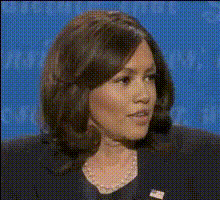
Kamala Harris Smiling
Overview
Inject humor into your videos by swapping faces with Kamala Harris using this Video Face Swap template. Perfect for creating hilarious clips, this tool allows you to apply her charismatic smile to any video. Make your content entertaining and share-worthy in just a few steps.
What It Does
This template seamlessly integrates with your existing videos to swap the face of any character with Kamala Harris's likeness. It uses advanced video face recognition techniques to maintain realistic expressions and movements. For added creativity, explore our Face Swap product for more options.
Who It's For
This template is ideal for content creators, meme enthusiasts, and anyone looking to add a humorous twist to their videos. Whether you're making content for TikTok, YouTube Shorts, or personal channels, this tool will enhance your comic appeal and engage a broader audience.
Summary
With the Kamala Harris Smiling template, transform ordinary videos into attention-grabbing content. Effortlessly apply a recognizable face to your clips for maximum comedic effect. Whether for a quick joke or a viral sensation, consider also checking out the AI GIF Generator for turning video segments into shareable GIFs.
How To
Choose Your Template

Customize Your Video

Generate Your Content

Use Cases
Social Media Humor
- Create memorable TikTok clips
- Engage your Instagram audience
- Boost your Facebook page interaction
Educational Content
- Lighten up compliance training
- Make corporate training videos more engaging
Brand Campaigns
- Launch humorous video ads
- Create entertaining campaign teasers
Best Practices
Choose High-Quality Videos
Ensure the source video is high-resolution to achieve a seamless face swap.Use Short Clips
Less is more. Utilize short, engaging clips to maintain viewer interest.Experiment with Angles
Test different angles and lighting to find the most natural fit for the face swap effect.