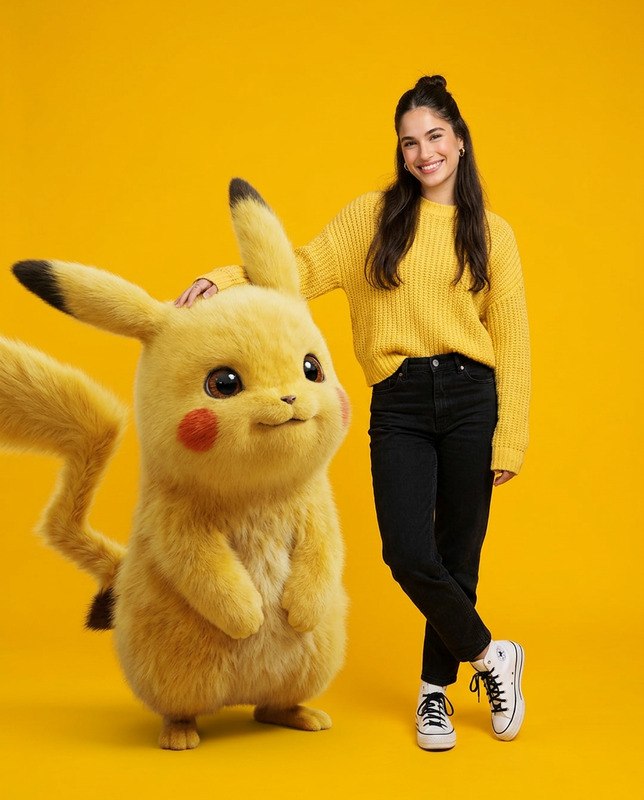
Pikachu getting hair brushed
- Model
- Veo 3.1
- Video
- 4 sec · 720p
Prompt
Animate the Pikachu character from the input image, keeping the original facial structure, proportions, and textures fully consistent with the source image. Pikachu shows natural facial animation such as opening and closing eyes, gentle smiling, and light mouth movement as if softly talking, while maintaining the same nose size, nose shape, eye shape, facial markings, and overall face design. Facial Animation Rules (IMPORTANT): Facial movement is allowed, facial redesign is not Eye blinking, eye opening, subtle gaze change Small mouth movement and soft smile No change in nose size, nose color, or nose shape No new facial features added No facial exaggeration or reshaping Character Motion & Consistency: Pikachu’s body proportions and anatomy remain unchanged Arms, legs, ears, and tail remain clearly visible Movements are smooth, gentle, and physically natural Interaction & Motion Details: Gentle grooming motion continues Subtle head reaction Tail moves lightly side to side Lighting & Visual Quality: Lighting remains consistent with the original image Clear details, stable textures No effects that alter appearance Camera & Framing: Fixed camera No zoom, no pan, no rotation Original framing preserved Mood & Style: Warm, natural, affectionate Expressive but identity-preserving facial animation Negative Prompt (VERY IMPORTANT): face redesign, face morphing, identity drift, nose size change, nose color change, added nose details, facial texture change, new facial markings, exaggerated expression, blurry face, face flicker, facial reshaping
Any aspect ratio
Overview
The "Pikachu getting hair brushed" template leverages the veo3.1 model to transform static images into engaging video content. This Image-to-Video template animates Pikachu with natural, lifelike movements while preserving all original facial and body specifications.
What It Does
This template generates an animated video of Pikachu being gently groomed. The animation retains Pikachu's original facial features and body proportions, ensuring that the character's identity and appearance are preserved. Movements, such as eye blinking and subtle smiling, create a warm and affectionate essence.
Who It's For
Designers, animators, and Pokémon enthusiasts will find this template valuable for creating high-quality animated content. Whether you're crafting animations for social media or personalized video messages, this template helps add a dynamic aspect to your images without compromising on character integrity.
Summary
With its focus on preserving Pikachu's distinct facial and body attributes, this template is perfect for those looking to create delightful animated videos. AI Talking Photo techniques are utilized to ensure every movement is subtle yet expressive, bringing Pikachu to life in an enchanting manner.
How-To
Choose Your Image

Customize the Animation

Generate and Download

Use Cases
Social Media Content
- Instagram Reels
- TikTok videos
- Facebook video posts
Fan Art Animations
- Artwork enhancement
- Character showcases
Brand Storytelling
- Promotional content
- Brand mascot animations
Best Practices
Preserve Original Features
Always ensure Pikachu's facial and body features aren't altered during animation to maintain character authenticity.Focus on Subtle Movements
Enhance natural expressions and gentle motions to keep the animation smooth and captivating.Test Lighting Consistency
Check that the lighting in your animation remains consistent throughout to avoid visual distractions.