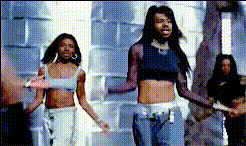
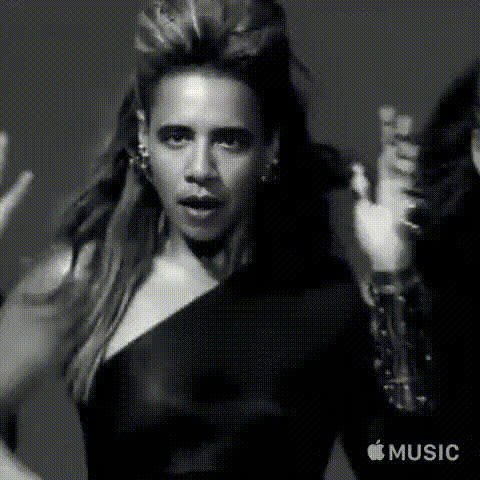
Space Cadet Woman Walking Forward
face-swap
Any aspect ratio
AI Face Swap Video Template
Transform any video in seconds by swapping faces with AI. This template uses Magic Hour’s AI Face Swap technology to create realistic, production‑ready face swap videos that are perfect for campaigns, content experiments, product demos, and prototypes.
What This Template Does
This template lets you:
- Upload (or remix) a source video
- Swap one or more faces in the video with a new face (photo or generated image)
- Export a high‑quality, share‑ready clip in a few clicks
It’s built on the same engine as Magic Hour’s Face Swap Video creator, so you get photorealistic results, consistent identity, and natural motion that matches the original performance.
Use Cases
- Marketing & growth experiments – Test different faces or personas in ads, landing page hero videos, and social creative without reshooting.
- Creator content – Drop yourself into trending memes, movie scenes, or reaction videos while preserving the original motion and timing.
- Product & UX demos – Localize or personalize demo videos for different audiences by swapping the presenter’s face.
- Prototype AI characters – Combine face swap with tools like AI Talking Photo or Text to Video to quickly test character concepts.
- Internal training & enablement – Generate tailored training videos with different instructors or roles without repeating the shoot.
How to Remix This Template in Magic Hour
You can create your own version of this template directly inside Magic Hour. Here’s the basic workflow:
- Start from Face Swap Video
Go to Face Swap Video. You can either:- Use this template as a starting point (if opened from the template gallery), or
- Create a new project and follow similar steps to what’s described here.
- Choose your base video
Upload the video you want to transform. For best results:- Use footage with a clearly visible face, good lighting, and minimal occlusion.
- Keep camera motion manageable; stable or gently moving shots generally swap best.
- Image to Video – Turn a single image into a moving clip, then face‑swap on top.
- Text to Video – Create synthetic scenes from prompts before swapping faces.
- Select or create the new face
You can:- Upload a photo of the face you want to swap in, or
- Generate a new face with tools like AI Face Generator, AI Headshot Generator, or Avatar Generator.
- AI Image Editor to adjust expressions, details, or background
- AI Image Upscaler to improve resolution
- Apply Face Swap
In the Face Swap Video flow, pair your base video with the new face. Magic Hour’s Face Swap engine will:- Track the original face across frames
- Match pose, angle, and expression frame‑by‑frame
- Blend skin tones and lighting for a natural result
- Combine with other Magic Hour tools (optional)
Power users often stack tools to build more advanced pipelines, for example:- Face swap + lip‑sync: Use Lip Sync with a cloned or generated voice from AI Voice Cloner or AI Voice Generator to align speech to your script.
- Face swap + style transfer: Turn your swapped‑face video into a stylized animation using Video to Video or Animation.
- Face swap + cleanup: Use Video Upscaler and Auto Subtitle Generator to finalize content for distribution.
- Export and test
Render the final video and test it in your real context:- Run A/B tests for different faces or character concepts in ads.
- Share drafts with your team or clients before scaling production.
Advanced Workflows and Ideas
- Personalized UGC‑style ads
Start with creator‑style footage, then generate multiple variants by swapping in different faces. Combine with AI Meme Generator or Thumbnail Maker for social distribution. - Localized spokespersons
Keep the same script and motion, but test different on‑screen personas for each market. Pair with AI Voice Changer and subtitles from Auto Subtitle Generator for language/localization experiments. - AI character universes
Design characters with AI Character Generator, AI Anime Generator, or Animated Characters Generator, then bring them into live‑action or stylized video with face swapping and Animation. - Experiments with identity & style
Combine Gender Swap, AI Clothes Changer, and AI Face Editor to explore variations of the same persona, then test how each performs when swapped into the same base video.
Best Practices for Realistic Face Swaps
- Use clear, front‑facing reference images – Higher‑quality, well‑lit images produce more consistent identity across frames.
- Match lighting and angle where possible – If you control the input video, align basic lighting and camera angle with your reference face for more natural blends.
- Keep motion readable – Fast head turns, heavy occlusion (hands over face, masks), or extreme blur can reduce realism.
- Refine assets before swapping – Use AI Image Upscaler, Unblur Image, and Remove Object from Photo to clean up faces first.
Ethics, Consent, and Responsible Use
Face swap technology is powerful and should be used responsibly:
- Always obtain consent from people whose faces you’re using, especially for commercial or public projects.
- Avoid misleading or deceptive uses (e.g., deepfakes that impersonate real individuals in sensitive contexts).
- Respect platform policies and relevant laws in your jurisdiction regarding biometric data and synthetic media.
Related Magic Hour Tools
To extend or customize this template, you may also want to explore:
- AI Image Generator and AI Photo Generator – Create faces, scenes, and props for your videos.
- AI GIF Generator and Face Swap GIF – Produce short, loopable face‑swapped GIFs for social and chat.
- AI Selfie Generator – Build a library of stylized selfies to use as swap sources.
- Image Background Remover, AI Background Generator, and Photo Colorizer – Polish visual assets around your swapped subject.
Who This Template Is For
This face swap video template is designed for:
- Growth and performance marketers running structured creative tests across personas, markets, and channels.
- Startup teams prototyping product videos and brand concepts quickly, without full production costs.
- Developers and builders exploring generative video workflows and integrating Magic Hour outputs into apps or internal tools.
- Professional creators and editors who want to add AI‑powered experimentation on top of existing video production pipelines.
Start from this template, remix it with your own faces and footage, then layer in other Magic Hour tools as needed. For more experimentation, explore Video to Video, Animation, and Lip Sync to build richer AI‑native video workflows.