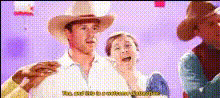
Cowboy Cat Dance Trend
face-swap
Any aspect ratio
Cowboy Cat Dance Trend – AI Face Swap Video Template
Create your own “cowboy cat” dance trend in minutes with Magic Hour’s AI Face Swap tools. This template shows how to turn any dance clip into a sharable, on‑trend meme by swapping in a stylized cowboy cat face (or any character you like) while keeping the original motion, timing, and expressions.
This page explains how the concept works, how to remix it inside Magic Hour, and how to adapt it for TikTok, Reels, YouTube Shorts, brand campaigns, and UGC-style ads.
What This Template Does
The Cowboy Cat Dance Trend template is built on Magic Hour’s AI Face Swap engine. It lets you:
- Swap any face in a dance video with a cowboy cat, mascot, influencer, or brand character while preserving the original dancer’s movements and rhythm.
- Keep high facial fidelity (eye direction, head turns, basic expressions) so the swap feels native to the clip, not like a cheap overlay.
- Produce short, loop‑friendly clips ideal for TikTok, Instagram Reels, YouTube Shorts, and meme pages.
- Remix it for your own brand—swap the cowboy cat with a company mascot, NFT character, VTuber persona, or campaign avatar.
Under the hood, the system uses deep-learning–based face reenactment (similar in principle to methods described in works like Siarohin et al., “First Order Motion Model for Image Animation,” NeurIPS 2019) to map the source face’s motion onto your chosen character while keeping the background and body intact.
How to Remix This Template in Magic Hour
You can recreate or customize this trend using Magic Hour’s Face Swap Video creator:
-
Start from the Face Swap video tool
Go to Face Swap Video. This is where you’ll build your own version of the Cowboy Cat Dance Trend. -
Choose your base dance video
Upload or select:- A vertical dance clip (ideal for TikTok/Shorts).
- A memeable dance (simple loops, synchronized moves, or trending choreography).
- A clip with a clear view of the dancer’s face for several frames.
You can also generate source characters or scenes first with tools like the Avatar Generator, AI Character Generator, or AI Anime Generator, then composite them into a dance clip using your preferred video editor before face‑swapping in Magic Hour.
-
Pick or upload your “cowboy cat” face
For a cowboy cat–style look, you can:- Create a stylized cat portrait with the AI Image Generator or AI Art Generator (e.g., “cartoon cowboy cat, wearing a hat and bandana, 3D Pixar style”).
- Refine details (hat, whiskers, color palette) with the AI Image Editor.
- Upscale the final cat face for sharper results using the AI Image Upscaler.
Once you have a clean cowboy cat face image, use it as your face‑swap source in the Face Swap Video tool.
-
Generate your face‑swapped dance
Run the face swap. Magic Hour will:- Detect and track the original face in the dance clip.
- Blend in the cowboy cat (or chosen character) so it follows the same motion and expressions.
- Render a new video where only the face is changed; the dance, lighting, and background remain intact.
-
Optionally extend or remix with other tools
Depending on your use case, you can build additional layers:- Lip‑sync to music or dialogue with Lip Sync or AI Talking Photo if you want the cowboy cat to “sing” along.
- Transform the whole video’s visual style (e.g., anime, comic, manga, or 3D) with Video to Video, referencing styles from tools like the AI Manga Generator or Comic Book Generator.
- Turn your cowboy cat into a short animation or story beat using Animation and combine it with the dance clip in editing.
- Prepare campaign variations (different outfits, colors, and accessories) via the AI Outfit Generator or AI Face Editor.
-
Export for your target channels
Download the final video and publish it directly to:- TikTok, Instagram Reels, YouTube Shorts (short loops, hooks in the first second).
- Paid social campaigns, UGC ads, and landing pages.
- Internal Slack channels or community spaces for culture‑building and brand memes.
Use Cases for Creators, Marketers, and Teams
1. Social Media Trends & Memes
- Join or start a dance trend by replacing human faces with the cowboy cat across multiple clips.
- Run A/B tests: same choreography, different faces (cat, robot, brand mascot, influencer look‑alike).
- Localize trends for different regions by swapping faces to match regional ambassadors or characters.
2. Brand & Campaign Content
- Turn a static brand mascot into a dancing character using Face Swap Video.
- Create bite‑sized, repeatable assets that match a campaign theme (e.g., “Western Week,” product drops, event teasers).
- Combine with AI Voice Generator or AI Voice Cloner to give your cowboy cat a distinct voice for call‑to‑action lines.
3. Creator & VTuber Experiments
- Swap your own face with a pseudonymous cowboy cat persona and keep your identity private while dancing on camera.
- Test character‑driven formats before investing in full 3D rigs or live‑VTuber setups.
- Extend your character ecosystem using tools like the Animated Characters Generator, Superhero Generator, or Pokémon Generator for other trend spins.
4. Lightweight Prototyping for Campaigns & Product Teams
- Prototype visual directions (e.g., cute, surreal, dark fantasy) with the Dark Fantasy AI or AI Background Generator, then test them in short dance clips.
- Quickly validate “would this play on TikTok?” ideas before committing full production resources.
Best Practices for High‑Quality Face Swaps
To get crisp, believable results with the Cowboy Cat Dance Trend, optimize both your face source and your dance video:
1. Use Clear, Front‑Facing Faces
- Choose videos where the dancer’s face is mostly visible, with minimal heavy motion blur or occlusion.
- Limit strong sunglasses, masks, or hair fully covering the face; these can reduce tracking accuracy.
- Use a source image for the cowboy cat that’s front‑facing, well lit, and not heavily distorted.
2. Aim for Good Resolution and Lighting
- Higher‑resolution input typically yields better swaps. If your source cowboy cat image is low‑res, upscale it with the AI Image Upscaler before swapping.
- Balanced, consistent lighting in the dance video helps the AI produce more natural blends.
3. Match Style and Perspective
- Try to match camera angle and general style: a front‑facing portrait works best with a mostly front‑facing dancer.
- If you’re working with a stylized or drawn cowboy cat, consider generating the whole scene in a similar style using AI Illustration Generator, Disney AI Generator, or AI Manga Generator, then use Video to Video to unify the look.
4. Design for Short, Loopable Hooks
- Keep the most impactful face‑swap moments within the first 1–2 seconds for social feeds.
- Crop or edit your video into tight, repeatable loops; dance moves that end where they start work well.
- Use the Video Upscaler if you need cleaner final exports for ad platforms or 4K displays.
5. Combine With Other Magic Hour Tools
- Layer subtitles or captions automatically via the Auto Subtitle Generator to increase retention on mute.
- Create cover art, thumbnails, and profile imagery featuring your cowboy cat with the Thumbnail Maker, Album Cover Generator, or Book Cover Generator.
- If you’re repurposing old footage, clean it up using tools like Unblur Image, Old Photo Restoration, or the Photo Colorizer before turning it into a dance meme.
Ethical & Practical Considerations
- Use your own footage or licensed content wherever possible. Unauthorized face swapping of real individuals, especially in sensitive contexts, can raise legal and ethical concerns.
- Be transparent in commercial campaigns when using AI‑generated or face‑swapped content, particularly for endorsements or testimonials.
- Test across devices—preview your cowboy cat dance on mobile, where most viewers will see it, to ensure the swap reads clearly at small sizes.
Related Magic Hour Workflows to Explore
If you like the Cowboy Cat Dance Trend, you can build adjacent formats using these tools:
- AI Selfie Generator – Turn yourself into multiple stylized characters and then drop those faces into dance trends.
- Gender Swap and AI Face Generator – Rapidly brainstorm and test alternative character designs.
- Text to Video – Prototype entirely new trend concepts from prompts, then face‑swap a cowboy cat into them.
- Face Swap GIF and the AI GIF Generator – Export looping cowboy cat dance GIFs for Discord, X, and community chats.
- AI Icon Generator and Emoji Generator – Turn your cowboy cat into icons, stickers, and emotes to extend the meme beyond video.
Summary
The Cowboy Cat Dance Trend template is a focused example of how to combine Magic Hour’s Face Swap capabilities with short‑form video to create repeatable, high‑impact content.
By starting from Face Swap Video and layering in tools like Video to Video, Lip Sync, AI Voice Generator, and the Video Upscaler, you can turn a simple dance clip into a fully realized meme, brand asset, or character‑driven series.
Use this template as a starting point, then remix: swap the cowboy cat for your mascot, your product, or an entirely new character—and build your own dance trend on top of Magic Hour’s AI video stack.