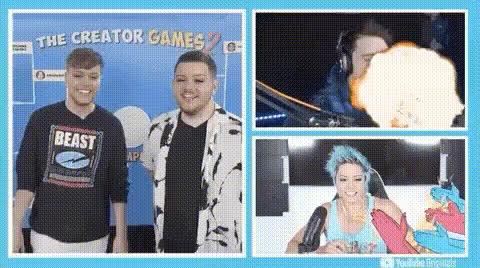
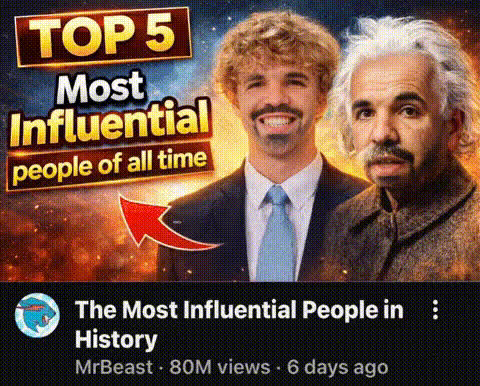
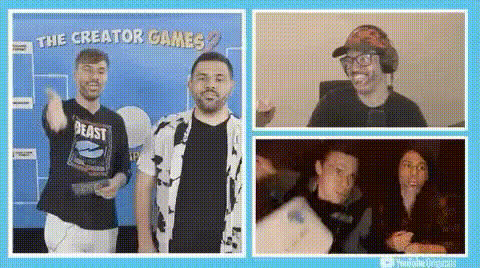
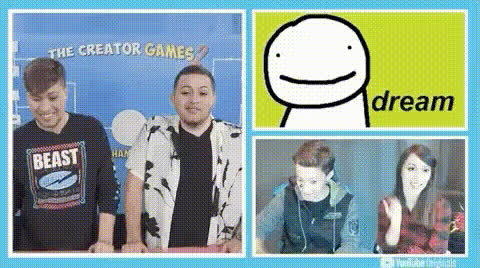
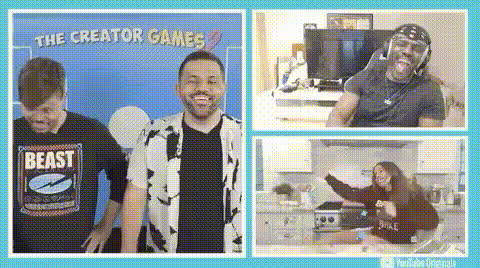
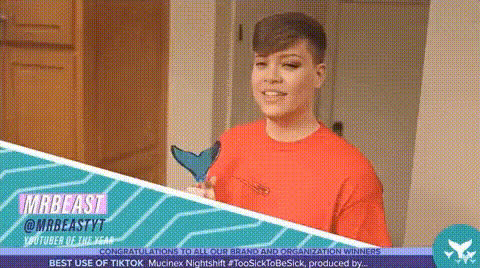
Mr Beast Rizz Dance

Magic Hour Profile Picture
by kpop_stan

face-swap

1 clip
202 uses

Any aspect ratio

Tags

memes

MrBeast Rizz Dance – Face Swap Video Template

Turn Any Face into the MrBeast Rizz Dance Meme

The MrBeast Rizz Dance – Face Swap Video Template lets you drop any face into one of the internet’s most recognizable meme formats. In a few minutes, you can generate short, shareable clips for:

  • Social content (TikTok, Reels, Shorts, X)
  • Meme marketing and growth experiments
  • Creator collabs and fan edits
  • Internal team memes and culture videos

This template is built on Magic Hour’s AI Face Swap engine and the Face Swap Video creation flow, so you get clean, stable swaps that track expressions and motion across the full clip.

What You Can Do with This Template

Use the MrBeast Rizz Dance template to quickly create:

  • Branded meme edits – Put your founder, mascot, or product ambassador into the dance to promote launches or campaigns.
  • Fan & community content – Swap in top community members, contest winners, or subscribers as a reward or shout-out.
  • Influencer concepts & mockups – Test creative angles and formats before committing to a full production.
  • Internal comms memes – Turn teammates or leadership into a lighthearted morale-boosting clip.

How Face Swap Works (in Plain English)

Magic Hour’s AI Face Swap uses deep learning models to:

  • Detect and track faces frame by frame in the source video.
  • Map the structure of your input face (pose, expression, lighting).
  • Generate a new face that matches the motion and perspective of the original dancer.
  • Blend the swap back into the video so it looks natural, with consistent color and lighting.

Because this template is pre-tuned around the MrBeast Rizz Dance format, you don’t have to worry about animation, timing, or motion design – you just bring the face.

How to Remix This Template in Magic Hour

You can either use this template directly or remix it into your own variant. Here’s the general workflow:

  1. Start from Face Swap Video
    Open Face Swap Video. Select the MrBeast Rizz Dance base video from your template library, or upload a similar dance/meme clip you have rights to use.
  2. Add the face you want to swap in
    Upload a clear photo, headshot, or frame grab of the person you want dancing. For best results, use a forward-facing, well‑lit image (studio selfie or professional headshot works well; you can also generate one via the AI Headshot Generator or Avatar Generator first).
  3. Apply AI Face Swap
    Run Magic Hour’s Face Swap on the MrBeast Rizz Dance clip using your chosen face. The model will automatically track movement, expressions, and head turns, and apply the swap throughout the video.
  4. Refine the visual style (optional)
    If you want a more stylized meme look, you can:
  5. Export and publish
    Export the final clip for TikTok, Instagram Reels, YouTube Shorts, or any platform you use. You can also convert key frames into GIFs with the AI GIF Generator or dedicated Face Swap GIF tool.

How to Create Your Own “Rizz Dance” Variations

To build a custom version of this template inside Magic Hour:

Best Practices for High-Quality Face Swap Memes

  • Use high-quality source faces
    Clear, sharp, front-facing photos with even lighting produce the most convincing swaps. If your existing photo is low-res, enhance it with the AI Image Upscaler or sharpen it using Unblur Image.
  • Match expressions and angles
    For the most natural result, pick source faces with a similar head angle and neutral or lightly expressive pose to match the original dancer’s motion.
  • Optimize for short-form platforms
    Keep clips tight, loop-friendly, and visually readable on mobile. Design a compelling cover image with the AI Art Generator or Album Cover Generator for higher tap‑through rates.
  • Stay within rights & consent
    Only swap in faces you have the right and permission to use. For public campaigns, favor your own brand characters, team members, or AI‑generated avatars from tools like AI Selfie Generator or Avatar Generator.
  • Test multiple concepts
    For marketers and growth teams, treat this as a rapid creative testing surface. Generate several variants (different faces, hooks, overlays) and track performance across channels.

Advanced Combinations for Creators & Teams

If you’re building more complex meme or campaign workflows, this template plays well with other Magic Hour tools:

  • Character-led series – Generate a recurring character with AI Character Generator or AI Face Generator, then drop that character into the MrBeast Rizz Dance and other meme templates for a consistent brand universe.
  • Storytelling & comic adaptations – Use Comic Book Generator or AI Illustration Generator to build narrative panels, then intersperse them with Rizz Dance clips for a serialized story or campaign.
  • Performance-quality visuals – Dress your swapped dancer in AI-generated outfits from the AI Clothes Changer or AI Outfit Generator, and enhance the final render with the Video Upscaler.
  • Interactive & UGC campaigns – Share a link to your campaign built on this template and invite users to submit faces or characters. You can generate their avatars via the Avatar Generator or AI Selfie Generator and drop them into the dance automatically.

Why This Template Works for Modern Meme and Creator Workflows

The MrBeast Rizz Dance format is recognizable, loopable, and easy to remix. Combining it with AI Face Swap turns it into a flexible “container” for:

  • Iterating creative concepts quickly without a full shoot
  • Localizing and personalizing content for different segments
  • Transforming static brand assets into dynamic, social‑native video

For creators, developers, and marketers who care about speed, experimentation, and performance, this template offers a dependable, repeatable way to ship high‑engagement content with minimal overhead.

Start Remixing the MrBeast Rizz Dance in Magic Hour

Open the Face Swap Video tool, load the MrBeast Rizz Dance template, and drop in your own face, brand character, or AI‑generated avatar. From there, you can extend the idea with Video-to-Video, Animation, or Text-to-Video to build full meme‑driven campaigns, not just a single clip.

Use this page as a starting point, then remix the template into your own repeatable format inside Magic Hour to keep your feed and campaigns fresh, fast, and on‑trend.

More Like This