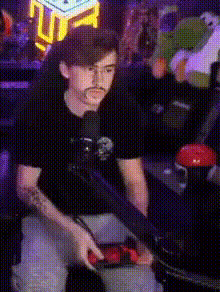
Raze With Odin Valorant Neon Animation
face-swap
Any aspect ratio
Tags
video gamesRaze With Odin – Valorant Neon Face Swap Animation
Overview
The “Raze With Odin Valorant Neon Animation” template is a high-impact, face-swapped Valorant clip designed for creators who want fast, eye-catching content without heavy editing. Built on Magic Hour’s Face Swap technology, it lets you instantly put a new face into a stylized neon Valorant scene and export ready-to-share content for TikTok, Reels, YouTube Shorts, or highlight compilations.
This page explains what the template does, how Face Swap works, and how you can remix this template inside Magic Hour using other tools like:
- Face Swap Video – swap faces in any gaming clip
- Video-to-Video – restyle your gameplay into neon, anime, or cinematic looks
- AI GIF Generator – turn your Valorant moment into loopable GIFs
- Video Upscaler – sharpen and enhance low-res clips
What This Template Is
This template gives you a pre-built Valorant-inspired scene featuring:
- Raze with an Odin – a fan-favorite, high-impact combo recognizable across the Valorant community
- Neon-styled visuals – glowing, cyberpunk-inspired colors and lighting that stand out in feeds
- Face Swap integration – swap in your face or someone else’s face over the in-scene character
It’s ideal for:
- Esports and creator highlight intros/outros
- Reaction clips and meme content
- Channel branding assets (profile videos, intro stingers, social promos)
- Marketing creatives for gaming brands, teams, or streamers
How Face Swap Works in Magic Hour
Magic Hour’s Face Swap uses AI to detect and replace faces in video while keeping:
- Lighting and perspective consistent frame-by-frame
- Expressions and motion aligned with the original performance
- Skin tone and details adapted to the target style
You provide a source face (your face, a character you designed, etc.), and the system generates a new version of the clip with that face realistically integrated into the Valorant-style shot. For GIFs or short clips, see Face Swap GIF.
How to Remix This Template in Magic Hour
You can recreate or customize a version of this template using Magic Hour’s tools in a few steps:
-
Start from a Face Swap video flow
Open Face Swap Video. Upload a short Valorant clip (e.g., a Raze Odin play) or a stylized neon gaming clip you already have. -
Choose your face source
Use:- A selfie or portrait of yourself
- A brand mascot or stylized avatar generated via Avatar Generator or AI Character Generator
- A fictional character you own the rights to (for creators and studios)
-
Apply the face swap and generate
Let Magic Hour process the clip. The output will preserve the original Raze/Odin motion but with your chosen face integrated into the scene. -
Enhance the visual style (optional)
If you want a more extreme neon or stylized look:- Run your swapped clip through Video-to-Video to push it toward neon, cyberpunk, anime, or comic-book-inspired art.
- Use Video Upscaler to improve sharpness for 1080p or 4K exports.
-
Create variants for different platforms
From your base animation, you can:- Generate short GIFs via AI GIF Generator for Discord, Twitter/X, or community channels.
- Cut vertical snippets for Shorts/TikTok using your editing stack, then reuse Face Swap via Face Swap Video on each new clip.
Advanced Remix Ideas for Creators & Teams
-
Personal branding for streamers
Use your real face with the template aesthetic to build a consistent “Valorant neon” identity across intros, BRB screens, and social media clips. Pair with AI Headshot Generator to create matching profile images. -
Team or org content
Generate one base animation, then swap in each team member’s face for a roster video, player intros, or MVP clips. This scales quickly using Face Swap Video. -
Cross-format campaigns
Turn a single highlight into:- A stylized hero video via Video-to-Video
- A meme-ready GIF via AI Meme Generator + AI GIF Generator
- Thumbnail assets via Thumbnail Maker
-
Character-based storytelling
If you’re building lore or narrative content around your Valorant persona, you can:- Design an original character with AI Anime Generator or Animated Characters Generator
- Use that face as the swap target to put your OC inside gameplay-themed clips
Best Practices for High-Quality Face-Swapped Valorant Clips
-
Use clean, readable source faces
Sharp, front-facing images with good lighting generally produce more convincing swaps. If needed, enhance older or blurry photos with Unblur Image or AI Image Upscaler. -
Choose high-contrast gameplay
Clips with clear silhouettes and good visibility (like neon-lit scenes or clear agent outlines) tend to swap better and maintain recognizability in social feeds. -
Align visual style across assets
For channels or campaigns, keep a consistent neon/cyberpunk look across:- Face-swapped highlight videos
- Thumbnails from Thumbnail Maker
- Logos via AI Logo Generator
-
Respect IP and platform rules
When swapping faces, use images you have rights to and follow platform guidelines on deepfakes and impersonation. For brand campaigns, stick to approved talent and assets.
Related Magic Hour Tools for Gaming & Valorant Creators
To go beyond this template and build a complete content pipeline around your Valorant gameplay, consider:
- Text-to-Video – generate cinematic background sequences based on prompts (e.g., “neon sci-fi city inspired by tactical shooters”).
- Lip Sync and AI Talking Photo – make your in-game persona talk for announcements, patch reactions, or sponsorship shoutouts.
- AI Voice Generator and AI Voice Cloner – create consistent voice content for intros, callouts, or tutorials.
- Auto Subtitle Generator – add captions for better retention and accessibility on TikTok, Reels, and YouTube.
Who This Template Is For
This template and its remix workflow are designed for:
- Content creators and streamers who want on-brand, stylized Valorant clips fast.
- Esports orgs and teams needing scalable face-swapped assets for intros, announcements, and hype content.
- Marketing and growth teams testing high-performing creatives in gaming and esports verticals.
- Developers and startup builders exploring AI-driven gaming content pipelines and rapid iteration on video concepts.
Start Creating Your Own Valorant Neon Face Swap
To build your own version of the “Raze With Odin Valorant Neon Animation”:
- Open Face Swap Video.
- Upload a Valorant or Valorant-inspired clip featuring the motion you want (e.g., Raze with Odin).
- Provide your source face or character image.
- Generate the face-swapped video and optionally restyle it via Video-to-Video.
- Export and repurpose across your channels, or turn it into GIFs, memes, and thumbnails with the related tools above.
By combining Face Swap with Magic Hour’s broader toolset, you can turn a single Valorant moment into a fully branded content set: hero clips, GIFs, thumbnails, memes, and character-driven stories—all in the same neon visual language.