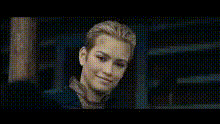
"It was perfect" - Homelander
face-swap
Any aspect ratio
Tags
movies“It Was Perfect” – Homelander Face Swap Video Template
Create your own version of Homelander’s iconic “It was perfect” moment from The Boys with this face swap video template. In a few minutes, you can turn any clip into a cinematic meme, a reaction, or a sharp piece of social content that feels made for TikTok, Reels, and Shorts.
What This Template Does
This template uses Magic Hour’s AI Face Swap technology to map Homelander’s face onto your video while preserving the original motion, expressions, and timing of the “It was perfect” line. The result is a clean, high-quality face swap that’s ready for social media, edits, or meme formats.
- High‑quality face replacement: AI-powered facial tracking and blending designed for realistic swaps.
- Optimized for short‑form video: Works great for TikTok, YouTube Shorts, Instagram Reels, and Twitter/X clips.
- Reusable & remixable: Start with this template, then quickly remix your own spin—new clips, new characters, new formats.
Context: Why “It Was Perfect” Works So Well
Homelander, the leader of The Seven in Amazon’s The Boys, is known for his unsettling mix of charm and menace. The “It was perfect” line comes from one of his more chilling, self‑satisfied moments, and it has since become a widely used meme to comment on:
- Overconfidence and ego
- Darkly funny “this is fine” scenarios
- Moments where something is obviously not perfect
Because the line is short, intense, and instantly recognizable, it’s ideal for face swap memes, reaction edits, and punchy narrative beats in short videos.
How to Remix This Template in Magic Hour
You don’t have to build this from scratch. Use this template as a starting point, then customize it in a few steps:
- Start from a Face Swap video template
Go to the Face Swap Video Template page and open a template that fits your aspect ratio and style. Use it as a base instead of uploading everything manually. - Upload your target clip
Choose the video where you want Homelander to appear—this can be:- A reaction shot (you or someone else on camera)
- A skit, vlog, or commentary segment
- An existing meme or trending sound
- Apply the Homelander face swap
Use the Magic Hour Face Swap tool to map Homelander’s face to your subject. The AI will track facial movements frame by frame. - Sync with the “It was perfect” moment
Align the key moment in your clip with the delivery of “It was perfect.” You can:- Cut to a close-up right before the line hits
- Use the line as a payoff after a buildup or punchline
- Layer it over reaction shots from your own footage
- Add polish and context
To refine your remix, you can:- Add subtitles or captions (great for social and accessibility)
- Overlay text describing the “perfect” (or disastrous) situation
- Include quick cuts or B‑roll leading into the line
- Export and repurpose
Once you’re happy with the swap, export the video and repurpose it across platforms. Many creators generate:- A vertical version for TikTok/Shorts/Reels
- A horizontal cut for YouTube or Twitter/X
- Loopable segments for GIFs or memes (paired with AI GIF Generator)
Use Cases for Creators, Marketers, and Builders
- Creators & editors: Turn the “It was perfect” line into:
- Reaction videos to game highlights, product launches, or fails
- Commentary on news, tech, or industry trends
- Channel memes you can reuse across multiple uploads
- Marketers & growth teams: Use the template to:
- Satirize “perfect” feature launches or roadmaps
- Create internal meme content for teams and communities
- Generate shareable, low‑lift short‑form content for campaigns
- Startup builders & product teams:
- Turn product milestones into inside jokes with your users
- Memify release notes or changelog items
- Create quick-cut narratives (before/after, expectation vs reality)
Advanced Remix Ideas with Other Magic Hour Tools
Once you’ve built the base Homelander “It was perfect” clip, you can layer on more AI tools to create highly customized variants:
- Change the source visuals:
- Use AI Image Generator or AI Photo Generator to create stylized backgrounds or stills.
- Turn those images into motion with Image to Video.
- Add alternate versions of yourself or characters:
- Create an avatar with Avatar Generator or AI Character Generator, then build edits where Homelander reacts to your character.
- Use Gender Swap or AI Face Generator to create different identities that Homelander “judges.”
- Make it talk, sing, or lip‑sync:
- Pair this template with a Lip Sync template to match Homelander’s mouth movement to any audio.
- Use AI Talking Photo to create still-image variants that deliver the same line.
- Experiment with AI Voice Generator or AI Voice Cloner to build alternate voiceover versions.
- Stylize or expand into full sequences:
- Chain this with Video to Video to re‑style the entire clip (comic book, anime, dark fantasy, etc.), optionally combining with tools like AI Anime Generator, Dark Fantasy AI, or Comic Book Generator.
- Use Animation templates plus Animated Characters Generator to build a fully animated sequence where an animated Homelander delivers the line.
- Clean-up and enhancement:
- Improve visual quality with Video Upscaler or sharpen source images using Unblur Image and AI Image Upscaler.
- Remove unwanted elements in your source frames with Remove Object from Photo or AI Remover.
- Generate readable captions for social using Auto Subtitle Generator.
Best Practices for High‑Impact “It Was Perfect” Edits
- Lead with the payoff: On short‑form platforms, attention drops quickly. Consider opening within a second or two of the line, then use cuts or text to explain the setup.
- Use contrast for humor: The line hits hardest when it clearly contradicts what viewers see—broken features, failed launches, awkward moments, or obvious disasters.
- Make it readable without sound: Add captions and on‑screen text so the joke or meaning survives mute autoplay.
- Iterate fast: Treat this as a reusable meme engine. Swap in different backgrounds, situations, and overlays. The core face swap stays the same; the context changes.
- Stay mindful of rights and platform policies: Check your platform’s rules on copyrighted content, likeness, and fair use. When in doubt, remix using original footage, AI‑generated imagery, or public‑domain visuals.
Why Use Magic Hour for Face Swap Memes?
Face swaps are common; high‑quality, production‑ready swaps are not. Magic Hour’s tooling is designed for creators and teams who care about:
- Consistency at scale: Reuse the same face swap setup across many clips and campaigns.
- Speed: Go from idea to publishable meme in minutes, not hours of manual editing.
- Extensibility: Combine face swap with tools like Text to Video, AI Art Generator, and AI Image Editor to build entire content pipelines, not just one‑off memes.
Start Remixing the Homelander “It Was Perfect” Template
To create your own version of this template:
- Open a Face Swap Video Template.
- Upload your clip and apply the Homelander face swap.
- Align the “It was perfect” moment, add text and captions, then export for your platform.
From there, you can keep iterating—new contexts, new characters, new formats—using the same core face swap as a repeatable asset in your content workflow.