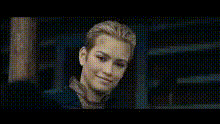
Homelander Face Swap Edit
What this Homelander edit changes
This template replaces faces in supplied footage rather than generating a new superhero performance. Your photo supplies the face; the source video controls the costume, shots and title-card ending.
How to create your Homelander face swap
Choose
Open the Homelander Edit template to use its supplied video.

Customize
Upload the face photo you want to insert. The template already supplies the destination footage and saved settings.

Generate
Click Generate to start the face swap immediately, then review the resulting video.

Tips for your face swap
Choose a clear face photo
Use a sharp photo with visible facial features. Avoid images where sunglasses, hands or other objects cover much of the face.
Review the close-ups
After generation, check how the inserted face fits the costumed close-ups before sharing the result.
Homelander face swap FAQs
No. The template supplies the video. You only need to upload a face image, then click Generate.
Not through this template’s workflow. Your upload provides the face, while the costume and title-card ending come from the supplied footage. There are no additional editing options before generation.