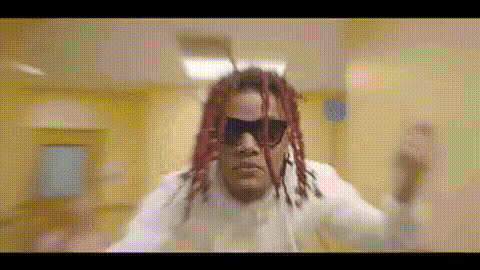
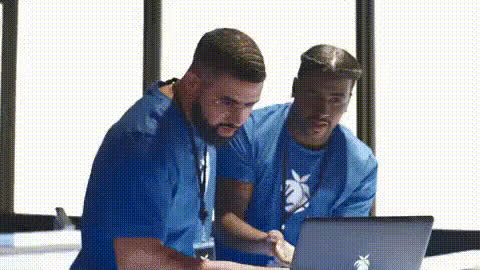
Lil Yachty Entrance
Overview
Recreate the excitement and swagger of a Lil Yachty entrance with our Video Face Swap template. Fans can easily infuse their own face into famous music video scenes, channeling the distinctive style and energy of Lil Yachty.
What It Does
This template allows users to perform a Video Face Swap, where you can place your own face into the scenes of Lil Yachty's iconic music video moments. Harnessing the power of our advanced AI algorithms similar to those in our AI Image Editor and AI Video Generator, users can achieve high-quality, realistic results easily.
Who It's For
This template is perfect for fans of Lil Yachty, music video enthusiasts, and content creators looking to add a personal touch to popular culture content. It's a great fit for anyone wanting to explore the potential of face swap technology in a fun and engaging way.
Summary
The Lil Yachty Entrance template provides a dynamic platform to bring your creative visions to life. By leveraging this tool, users can engage with music video classics, producing personalized content that resonates with their social media followers or friends. Discover a new way to experience your favorite music moments.
How To
Follow these three steps to create your Lil Yachty styled video face swap.
Choose Your Template

Customize Your Experience

Generate Your Video

Use Cases
Social Media Content
- Engage with your audience using trend-worthy video content.
- Add personal flair to your socials.
Fan Tributes
- Showcase your creativity and fan spirit.
- Connect with fellow fans by sharing your creations.
Creative Visual Projects
- Easily integrate into multimedia presentations.
- Provide a unique touch to visual storytelling.
Best Practices
Use High-Quality Images
Ensure your face image is high-quality for the smoothest swap results.Experiment with Angles
Try different facial angles to see which works best for the video scenes.Consider Context
Think about the context of the video scene and how your expression fits for a realistic look.