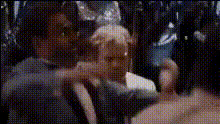
The Wolf of Wall Street Dance
face-swap
Any aspect ratio
Tags
moviesThe Wolf of Wall Street Dance – Face Swap Video Template
Turn an Iconic Movie Dance Into Your Own Viral Face Swap
Bring the chaos, confidence, and over-the-top energy of The Wolf of Wall Street straight into your content. This Face Swap video template lets you drop yourself, your friends, or your team into an instantly recognizable party scene that’s perfect for memes, reaction content, brand promos, and social posts.
This template is powered by Magic Hour’s AI Face Swap technology and can be remixed in a few clicks—no editing background required.
What This Template Does
This template takes a pre-made dance/party clip inspired by The Wolf of Wall Street and automatically swaps the original faces with your own. You can:
- Put yourself in the lead role for a bold “main character energy” video
- Turn your friends or coworkers into the entire party crew
- Create fast, meme-ready clips for TikTok, Instagram Reels, YouTube Shorts, or X
- Use it as a lighthearted intro, outro, or reaction moment in a longer video
The result: a short, high-impact clip that feels cinematic, but is generated in minutes with AI.
How to Use & Remix This Template in Magic Hour
You don’t need professional editing software to use or customize this. Everything runs directly in Magic Hour.
- Open the Face Swap video creator
Start from the template found in Magic Hour’s Face Swap Video library. This loads the Wolf of Wall Street–style dance clip and prepares it for swapping. - Upload your face (or multiple faces)
Add selfies, headshots, or portraits for each person you want in the scene. For best results:- Use clear, front-facing photos with good lighting
- Avoid heavy filters or extreme angles
- Upload separate images for each person you want to cast
- Assign faces to characters in the clip
Map each uploaded face to the characters in the dancing scene so your crew appears exactly where you want them. - Customize with other Magic Hour tools
Once your face swap is ready, you can easily:- Turn the clip into a stylized animation with Animation
- Transform the visual style using Video-to-Video (e.g., anime, comic, or hyperrealistic looks)
- Add lip-synced dialogue or a speech using Lip Sync or AI Talking Photo
- Generate a matching voice with AI Voice Generator or clone your own voice with AI Voice Cloner
- Export and publish
Download your finished face swap video and share it as:- A short-form clip on TikTok, Reels, or Shorts
- A GIF using AI GIF Generator or Face Swap GIF
- Part of a longer YouTube video, ad, or internal team video
Who This Template Is For
This template is built for creators and teams who want high-return content with minimal effort:
- Content creators & streamers – Create recurring gag intros, channel memes, or subscriber shoutouts featuring your audience in the dance scene.
- Marketers & growth teams – Turn your founder, mascot, or customer persona into the “Wolf” for playful campaign assets, launch teasers, or social-first experiments.
- Startup teams – Use the clip for internal jokes, all-hands openers, or playful recruiting content.
- Developers & product builders – Prototype AI-driven content flows, demos, or onboarding experiences that feature a recognizable, high-energy scene.
Ideas & Use Cases
Here are ways you can remix this Wolf of Wall Street–style dance template:
- Founder-as-Wolf launch video
Put your founder or leadership team into the dance scene as a tongue-in-cheek way to announce funding, product launches, or big milestones. - Team celebration clips
Swap in your whole team after closing a deal, shipping a feature, or hitting a KPI. Pair it with a short text overlay or caption. - Meme content & reaction posts
Use the clip as a reaction to “when the growth experiment actually works” or “when the deploy doesn’t break anything.” Perfect for LinkedIn, X, or Discord communities. - UGC & community challenges
Invite your audience to submit their photos, then generate their own “Wall Street dance” clips and share them back. You can quickly recreate multiples using the same template. - Stylized spin-offs
Run the final video through:- AI Anime Generator or Disney AI Generator for a cartoon version
- Comic Book Generator for a graphic-novel feel
- Dark Fantasy AI for a moody, surreal variant
What Is AI Face Swap (and Why It Works So Well Here)?
Magic Hour’s AI Face Swap uses generative models to map facial structure, skin tone, and expression from your uploaded image onto the subject in the target video. The Wolf of Wall Street–style dance scene is especially effective because:
- The characters are expressive and animated, which makes the swap visually striking
- Fast, rhythmic motion hides minor artifacts and enhances realism
- The scene is culturally recognizable, making the transformation instantly funny and shareable
For still images, you can also explore AI Face Editor or AI Face Generator to build or refine the faces you want to swap in.
Best Practices for High-Quality Face Swap Results
To get convincing, shareable output:
- Use high-quality source photos
If your input image is low-res or blurry, run it through the Unblur Image or AI Image Upscaler first. - Match angles and expressions when possible
A neutral or slightly smiling forward-facing shot tends to adapt well to dynamic video expressions. - Leverage consistent lighting
Even, natural lighting in your source photo helps the AI blend your face into the existing scene more realistically. - Consider style alignment
If you want the output to match a certain brand or visual identity, you can preprocess your face with the AI Image Editor or AI Photo Generator before swapping. - Keep it respectful & compliant
Use images you have rights to, and avoid misleading use of real people in sensitive or deceptive contexts.
Combine With Other Magic Hour Tools
To build more advanced experiences around this template:
- Turn your dance clip into a short narrative
Use Text-to-Video to generate setup or follow-up scenes, then stitch them together with your face swap moment. - Add polished captions & accessibility
Run the final output through the Auto Subtitle Generator for platform-optimized subtitles. - Create related promotional assets
Generate matching thumbnails with the Thumbnail Maker, or produce cover art with the Album Cover Generator or Book Cover Generator. - Optimize video quality
Enhance resolution with the Video Upscaler for platforms that reward crisp visuals.
About “The Wolf of Wall Street” Context
Released in 2013 and directed by Martin Scorsese, The Wolf of Wall Street is based on Jordan Belfort’s memoir and stars Leonardo DiCaprio, Jonah Hill, and Margot Robbie. The film’s party sequences have become enduring internet culture touchpoints, widely referenced in memes, GIFs, and short-form edits.
This template is inspired by that high-energy, chaotic dance atmosphere and is designed to help you tap into that shared cultural reference while creating content that’s clearly your own.
Why Use This Template Instead of Starting From Scratch?
- Speed – No need to source or shoot a complex party scene. The choreography, framing, and pacing are already done.
- Production value – You get a cinematic-style sequence with professional composition without a film crew or location budget.
- Repeatability – Reuse the same template to generate variations for different campaigns, internal jokes, or audience submissions.
- Compatibility – The format works well across TikTok, Instagram, YouTube, and even as a looping Face Swap GIF.
If you want to go beyond this specific scene, you can explore other face swap–driven formats via Face Swap Video or build animated characters from scratch with the Animated Characters Generator.
Get Started
Open the template in Magic Hour via the Face Swap Video creator, upload your photos, assign faces, and export. In a few minutes, you’ll have a Wolf of Wall Street–style dance clip tailored to your own cast—ready to ship to social, drop into campaigns, or use as a recurring in-joke for your community.