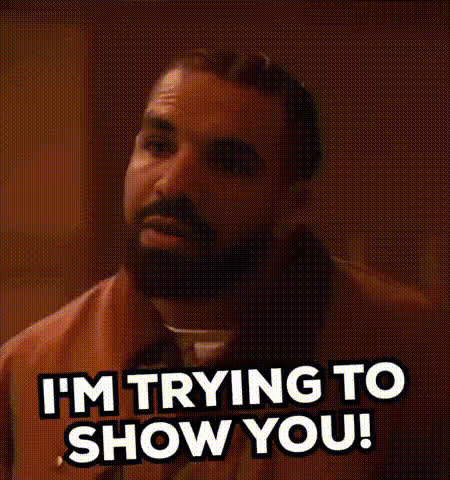
"W's in Schatt" - Drake
face-swap
Any aspect ratio
Tags
memes“W’s in Schatt” – Drake Face Swap Video Template
Turn Any Win Into a Drake Moment
The “W’s in Schatt” – Drake template is an AI-powered face swap video experience on Magic Hour that lets you drop Drake’s face into your own clip to celebrate wins, roast your group chat, or punch up your social content.
Use it to turn everyday victories—closing a deal, shipping a product, hitting a PR—into a shareable Drake reaction. It’s built for creators, marketers, and founders who want a fast, high‑quality meme-style video without touching a timeline or learning VFX.
What This Template Does
This template is powered by Magic Hour’s AI face swap engine. It analyzes the facial structure, pose, and motion in your source video, then blends in the target face frame by frame for a natural‑looking result.
- Face swap with Drake’s look: Drop Drake’s face onto your own or a friend’s clip to react to “W’s” in your life.
- Short‑form ready: Perfect for TikTok, Reels, Shorts, Discord reactions, or internal Slack/Teams memes.
- Creator‑grade quality: Smooth tracking, consistent lighting, and lip/eye alignment tuned for social video.
- No editing skills required: Upload, swap, export—Magic Hour handles the heavy lifting.
How to Remix This Template in Magic Hour
You don’t have to start from scratch. Use “W’s in Schatt” as a base, then remix it into your own version:
- Open the Face Swap video flow
Go to Magic Hour Face Swap Video to start a new project. - Upload your source clip
Use a short video where the main face is clearly visible (front or 3/4 view works best). This can be:- A quick selfie celebrating a win
- A screen recording of game highlights or dashboards
- A clip from a pitch, stream, or vlog
- Apply the Drake-style face swap
Use the face swap flow to map Drake’s likeness onto the person in your video. Magic Hour will track expressions and movement across frames. - Refine your “W” moment
Trim the clip, adjust timing, and line it up with the high point of your “win” (e.g., scoreboard reveal, contract signature, PR screen, before/after shot). - Export and share
Download your video and post to TikTok, Instagram Reels, YouTube Shorts, X, or send directly to your group chat or team.
Examples: How Creators & Teams Use “W’s in Schatt”
- Founders & startups: Announce funding rounds, big launches, or milestones with a Drake “W” reaction clip embedded in your update.
- Marketers: Turn campaign wins, ROAS screenshots, or traffic spikes into quick meme edits for social.
- Creators & streamers: Overlay Drake on clutch gameplay, pack openings, or viral moments to punch up reactions.
- Internal comms: Celebrate hitting MRR/ARR targets, shipping sprints, or closing deals in Slack/Teams with a fast, on‑brand meme.
Best Practices for High‑Quality Face Swap Videos
To get the cleanest, most realistic result with this template:
- Use clear, well‑lit footage: Faces should be visible, not heavily shadowed or overexposed.
- Limit extreme motion blur: Fast head turns and heavy blur can reduce accuracy; keep your “W” moment readable.
- Keep the face in frame: Try to avoid long sections where the face is turned away or fully blocked.
- Match vibe to context: Use the template for playful, transformative content—not to mislead viewers about real events.
Advanced Remixes: Go Beyond a Simple Face Swap
If you want to build a more complex edit around the “W’s in Schatt” moment, combine this template with other Magic Hour tools:
- Add lip‑sync for dialogue or lyrics: Use AI Lip Sync to match the mouth motion to a specific line, quote, or audio clip.
- Transform the whole clip’s style: With Video to Video, you can restyle the scene into an animated, cinematic, or stylized look.
- Generate a custom intro or outro: Use AI Image Generator or AI Photo Generator to create title cards or thumbnails, then animate them via Image to Video.
- Sharpen and upscale: Clean up older or low‑res footage with AI Image Upscaler for stills and Video Upscaler for video.
- Add subtitles for shareability: Increase watch‑through on mute‑first platforms using the Auto Subtitle Generator.
- Create matching memes and GIFs: Spin your Drake moment into loops and stills with the AI GIF Generator and AI Meme Generator.
Tips for Social & Growth Use Cases
- Anchor the “W” visually: Pair your Drake clip with on‑screen proof: a dashboard, chart, contract, or product screenshot.
- Keep it short: 5–15 seconds tends to perform best on TikTok, Reels, and Shorts.
- Batch create variants: Use the same base template to output multiple versions for A/B testing thumbnails, hooks, or CTAs.
- Reuse the character: Once you like a particular Drake reaction style, reuse that persona across multiple clips for brand consistency.
Explore Related Magic Hour Tools
If you like the “W’s in Schatt” template, you may also want to explore:
- Face Swap GIF – turn your Drake “W” into looping GIF reactions.
- AI Talking Photo – animate a single image of a character (or yourself) delivering a line about your win.
- AI Voice Generator and AI Voice Cloner – layer AI voiceover on top of your swapped video.
- Animation – turn your “W’s in Schatt” concept into a fully animated character sequence.
- Thumbnail Maker – create strong, click‑driving thumbnails for YouTube and other platforms.
Ethical & Brand‑Safe Use
Face swap technology is powerful. For brand‑safe, sustainable use:
- Use it for parody, commentary, education, or clearly transformative content.
- Avoid implying real‑world endorsements or statements from real people that did not occur.
- Be transparent with audiences when content is AI‑generated, especially in professional or paid contexts.
Start Creating Your Own “W’s in Schatt” Moments
The “W’s in Schatt” – Drake face swap template is a fast way to turn wins into culture‑savvy, shareable videos your audience will actually watch. Remix it inside Magic Hour, connect it with other AI tools in the stack, and build a repeatable workflow for reaction content around your product, brand, or community.
Whenever you ship something important or hit a new milestone, you’ll have a ready‑to‑go Drake “W” in your toolkit—no editor, no studio, just your browser.