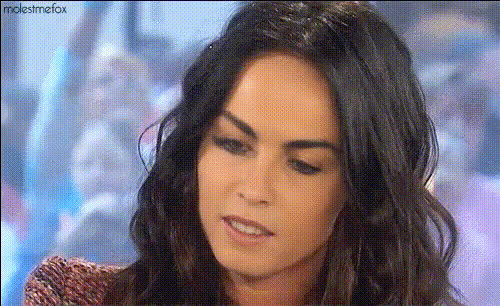
Megan Fox Edit
face-swap
Any aspect ratio
Tags
moviesMegan Fox Face Swap Video Template
Create high-impact, celebrity-style edits in minutes with this Megan Fox–inspired face swap video template. Built on Magic Hour’s advanced AI Face Swap technology, this template lets you transform any clip into a polished, share‑ready edit without manual compositing or complex timelines.
What This Template Does
This template uses AI face replacement to map a new face onto the subject in your video, frame by frame. It automatically handles:
- Face detection and tracking in motion
- Lighting adjustment and color matching
- Facial alignment (angles, expressions, head turns)
- Blend and edge refinement for a natural look
Use it to prototype campaigns, pitch creative concepts, or generate short-form social videos that look like they came from a full post‑production team.
Important Note on Responsible Use
Face swap technology is powerful and should be used responsibly. Always:
- Respect platform policies and local laws
- Avoid misleading, harmful, or deceptive content
- Obtain consent when using real people’s likenesses
- Label AI‑generated or altered media when relevant
Magic Hour’s tools are designed for creative, ethical use cases: parody, concept art, internal prototypes, mood boards, and stylized edits—not impersonation or misinformation.
Who This Template Is For
- Creators & influencers: Quick “Megan Fox edit” style reels, TikToks, or Shorts without heavy editing.
- Marketers & agencies: Test celebrity‑inspired aesthetics, character look‑and‑feel, or campaign concepts before committing to production.
- Founders & product teams: Rapidly mock up promo visuals, hero videos, and pitch collateral.
- Developers & technical creatives: Explore AI video workflows, then chain into other Magic Hour products like Text to Video or AI Voice Generator.
Key Features of the Megan Fox Edit Template
1. High‑Quality AI Face Swap
The template is powered by Magic Hour’s production‑grade AI Face Swap engine, designed for:
- Consistent identity from the first to last frame
- Expression‑aware mapping (smiles, blinks, head tilts)
- Multi‑platform output suitable for TikTok, Instagram, YouTube, and ads
If you want to start from a blank slate rather than this pre‑built edit, you can also create a custom face swap video using the dedicated Face Swap Video workflow.
2. “Megan Fox Edit” Visual Inspiration
This template is styled around the kind of sharp, cinematic, high‑contrast looks often associated with Megan Fox‑style edits seen in fan edits, mood boards, and aesthetic reels. Expect:
- Clean, portrait‑focused framing
- Beauty‑oriented close‑ups and hero shots
- Visually strong, editorial‑style composition
You can remix this visual direction by pairing the template with Magic Hour’s AI Image Editor or AI Background Generator to build your own aesthetic around the swapped face.
3. Creator‑Friendly Customization
Use the template as a starting point, then build your own variant:
- Swap in different source faces using AI Face Editor or AI Face Generator
- Generate new scenes and stills with the AI Image Generator or AI Photo Generator
- Turn still portraits into motion clips with Image to Video
- Extend the concept to animated edits using the Animation template
4. Social‑Ready Results
The output works well for:
- Trending celebrity edits and fan cams
- “Glow‑up” and transformation videos
- AI yearbook, nostalgia, and throwback trends
- Promo teasers for music, beauty, fashion, or film projects
For talking edits or meme‑style content, combine this face swap template with:
- Lip Sync for perfectly synced dialogue or lyrics
- AI Talking Photo to animate static portraits
- AI Meme Generator for caption‑driven posts
How to Remix This Template in Magic Hour
You can either use this Megan Fox edit as‑is or treat it as a blueprint for your own template. A typical remix workflow looks like this:
-
Start from Face Swap Video
Open the Face Swap Video creator. This gives you the same core engine used in this template, but fully configurable with your own clips and faces. -
Prepare Your Base Footage
Upload a clip that roughly matches the framing and vibe you want—close‑ups for beauty edits, medium shots for lifestyle or fashion, etc. For cinematic results, footage with good lighting and clear facial visibility works best. -
Choose or Generate a Face
Use:- Avatar Generator for stylized characters
- AI Headshot Generator for studio‑style portraits
- AI Anime Generator or Disney AI Generator for stylized edits
-
Layer on Additional Effects
After generating the swapped video, you can:- Upscale with Video Upscaler for sharper output
- Clean up stills or thumbnails with AI Image Upscaler and Unblur Image
- Remove unwanted elements from frames using Remove Object from Photo
- Remove or replace image backgrounds with Image Background Remover
-
Turn It into a Talking or Music Edit (Optional)
To create a full “AI Megan Fox‑style” talking clip or music edit:- Clone or generate a voice with AI Voice Cloner or AI Voice Generator
- Apply Lip Sync to match the face‑swapped video to your audio
- Auto‑caption the final cut with the Auto Subtitle Generator
-
Export and Test on Your Channels
Once your remix is ready, export and A/B test on platforms like Instagram Reels, TikTok, or YouTube Shorts. For better performance:- Generate multiple hooks and thumbnails using the Thumbnail Maker and Album Cover Generator
- Experiment with different aesthetics via AI Art Generator or AI Illustration Generator
Ideas & Use Cases for This Template
- Celebrity‑style edits: Recreate iconic shots or film‑inspired aesthetics with your own face or an AI‑generated persona.
- Beauty & fashion campaigns: Pair with AI Clothes Changer or AI Outfit Generator to explore styling options and looks.
- Concept art & character design: Use with AI Character Generator, Animated Characters Generator, or Full Body Generator to develop characters, then test how they look in “live‑action” edits.
- Short‑form storytelling: Combine with Video to Video and Text to Video to build entire scenes around your face‑swapped hero character.
- Trend‑driven social content: Use with Face Swap GIF or the AI GIF Generator to create looping reaction GIFs and story assets.
Leveling Up Your Edits
To push quality further, consider:
- Sharpening and restoring visuals with Old Photo Restoration and Photo Colorizer for vintage or nostalgia‑style Megan Fox edits
- Generating supporting graphics (icons, overlays, stickers) via AI Icon Generator and Emoji Generator
- Designing packaging visuals or cover art for your series with the Book Cover Generator and AI Logo Generator
Why Use Magic Hour for Face Swap Edits?
- End‑to‑end creative stack: From face generation to voice, lip sync, backgrounds, and upscaling, you can build the entire pipeline in one place.
- Template‑driven workflows: Start fast with ready‑made flows like this Megan Fox edit, then customize and remix for your brand or persona.
- Creator‑ and team‑friendly: Ideal for agencies, startups, and solo creators who need repeatable, scalable visual systems.
Use this Megan Fox Face Swap Video Template as a reference, then build your own library of character‑driven templates for campaigns, channels, and clients directly inside Magic Hour.