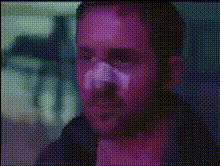
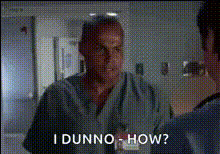
"You will require medical attention"
face-swap
Any aspect ratio
Tags
movies“You Will Require Medical Attention” Face Swap Video Template
The “You Will Require Medical Attention” template lets you drop yourself (or any face you choose) directly into a dramatic medical scene in a few clicks. It’s built on Magic Hour’s AI Face Swap engine and is ideal for creators, marketers, and teams who want a realistic, attention‑grabbing video without a full production crew.
Use it to create:
- Health awareness clips and safety campaigns
- Medical training explainers and internal education
- Ads for clinics, telehealth, or wellness products
- Social content that stands out in crowded feeds
What This Template Does
This template combines a pre‑built medical emergency scene with AI face swapping so you can instantly cast yourself, a colleague, or a character as the patient or protagonist.
- Face Swap on video – Upload a portrait or selfie and swap it onto the main character using Magic Hour’s Face Swap Video template flow. The system automatically matches expressions and head motion for a natural result.
- Realistic medical environment – The base footage features clinical lighting, hospital‑style equipment, and a high‑stakes moment (“You will require medical attention”), ideal for communicating urgency and consequences.
- Creator‑friendly editing – You can trim, re‑order, or combine this template with other clips generated using Video to Video or Animation to build longer stories or multi‑scene explainers.
Under the hood, this uses the same class of deep learning models that power modern face‑swapping systems in research and production (e.g., encoder–decoder architectures and GAN/transformer‑based refiners), but wrapped in a workflow optimized for non‑technical users.
Who This Template Is For
- Healthcare marketers & growth teams – Test message angles quickly (e.g., injury prevention, post‑surgery care, ER awareness) without re‑shooting live‑action footage.
- Startups & product teams – Explain risk, safety, or “what happens if you ignore this” scenarios for healthtech products, insurance apps, wearables, or remote monitoring tools.
- Educators & L&D teams – Turn dry policy documents into concrete, visual case studies that learners remember.
- Creators & agencies – Produce custom versions for different clients or personas by simply swapping in a new face and exporting variants.
How to Remix This Template in Magic Hour
You can use this template as‑is or as a starting point for your own version. Here’s a practical way to build and customize it using Magic Hour tools:
- Start with Face Swap Video
Go to Face Swap Video and select the “You Will Require Medical Attention” base scene (or upload a similar medical clip if you have one). - Upload the face you want to insert
Use a clear photo (frontal or near‑frontal) with good lighting. For consistent campaigns, generate faces with the AI Headshot Generator or Avatar Generator, then reuse them across multiple videos. - Generate your swapped video
Run the face swap to create a version where you (or your character) experience the “you will require medical attention” moment. You can quickly iterate by swapping different faces to test which identity resonates best with your audience. - Add context with lip‑sync or talking shots (optional)
- Use the Lip Sync template to make your swapped character deliver a spoken warning, CTA, or educational script.
- For static images (like a still of your doctor or spokesperson), use AI Talking Photo to turn a photo into a short speaking clip.
- Build supporting visuals
Strengthen the narrative by generating cutaway shots or B‑roll:- Create illustrations and diagrams with the AI Illustration Generator or AI Art Generator.
- Turn those images into short motion clips using Image to Video or loop them as GIFs with the AI GIF Generator.
- Polish your footage
Improve clarity and production value:- Sharpen blurry frames with Unblur Image or upscale assets via the AI Image Upscaler and Video Upscaler.
- Clean backgrounds or remove distractions with Image Background Remover or Remove Object from Photo.
- Export and repurpose
Once your video looks right:- Export for social, landing pages, or email campaigns.
- Auto‑generate captions for accessibility and higher watch‑through using the Auto Subtitle Generator.
- Turn short clips into looping reactions or memes with AI Meme Generator or Face Swap GIF for lighter contexts.
Use Cases and Campaign Ideas
- Risk & consequence explainers
Show what happens if users ignore symptoms, skip protective gear, or misuse a device. Swapping the viewer’s own face into the scene (with consent) can dramatically increase perceived relevance and recall, as suggested by personalization research in health communication. - Onboarding & safety flows
Embed short “you will require medical attention” clips into onboarding for fitness apps, industrial tools, or workplace safety training to make warnings concrete instead of abstract text. - Localized & segmented campaigns
Create multiple variants of the same core video for different regions, age groups, or personas by:- Swapping in representative faces with AI Face Generator.
- Adjusting supplemental stills or icons with the AI Image Editor and AI Icon Generator.
- Internal training simulations
For hospitals, EMS teams, and insurers, cast staff members into the scenario to make simulations more engaging, or generate archetypal patients with the Full Body Generator and AI Character Generator.
Best Practices & Responsible Use
Face Swap and medical content can be powerful, so it’s important to use them responsibly:
- Get consent from anyone whose real face you use, especially in sensitive health contexts.
- Label synthetic media clearly in public campaigns (e.g., “AI‑generated dramatization”) to avoid confusion.
- Avoid real patient impersonation or any misleading use that could be mistaken for real clinical advice or diagnosis.
- Use credible health information from trusted sources such as the WHO, CDC, or national health agencies when writing scripts and claims.
How This Template Fits Into a Larger Workflow
The “You Will Require Medical Attention” Face Swap template is most effective when combined with other Magic Hour capabilities:
- Generate concepts fast – Prototype scripts and storyboards, then produce visual frames with the AI Image Generator or AI Background Generator.
- Turn static ideas into motion – Use Text to Video and Image to Video to build scenes before applying face swap.
- Add voice and character – Clone or generate voices with AI Voice Cloner and AI Voice Generator to match the tone of your brand or scenario.
Why Use This Template Instead of Filming From Scratch?
- Speed – Produce variations in minutes instead of coordinating actors, locations, and reshoots.
- Cost efficiency – Reuse a single high‑quality medical scene and adapt it for many campaigns or clients.
- Scalability – Swap faces, voices, and overlays to localize content for different markets, languages, and demographics without new filming.
- Experimentation – A/B test message framing, protagonist identity, and emotional intensity at low marginal cost.
By combining this template with Magic Hour’s broader toolset, you can build a repeatable pipeline for high‑impact medical and safety storytelling that’s fast, flexible, and easy to maintain.